Cleaning the Dustbin
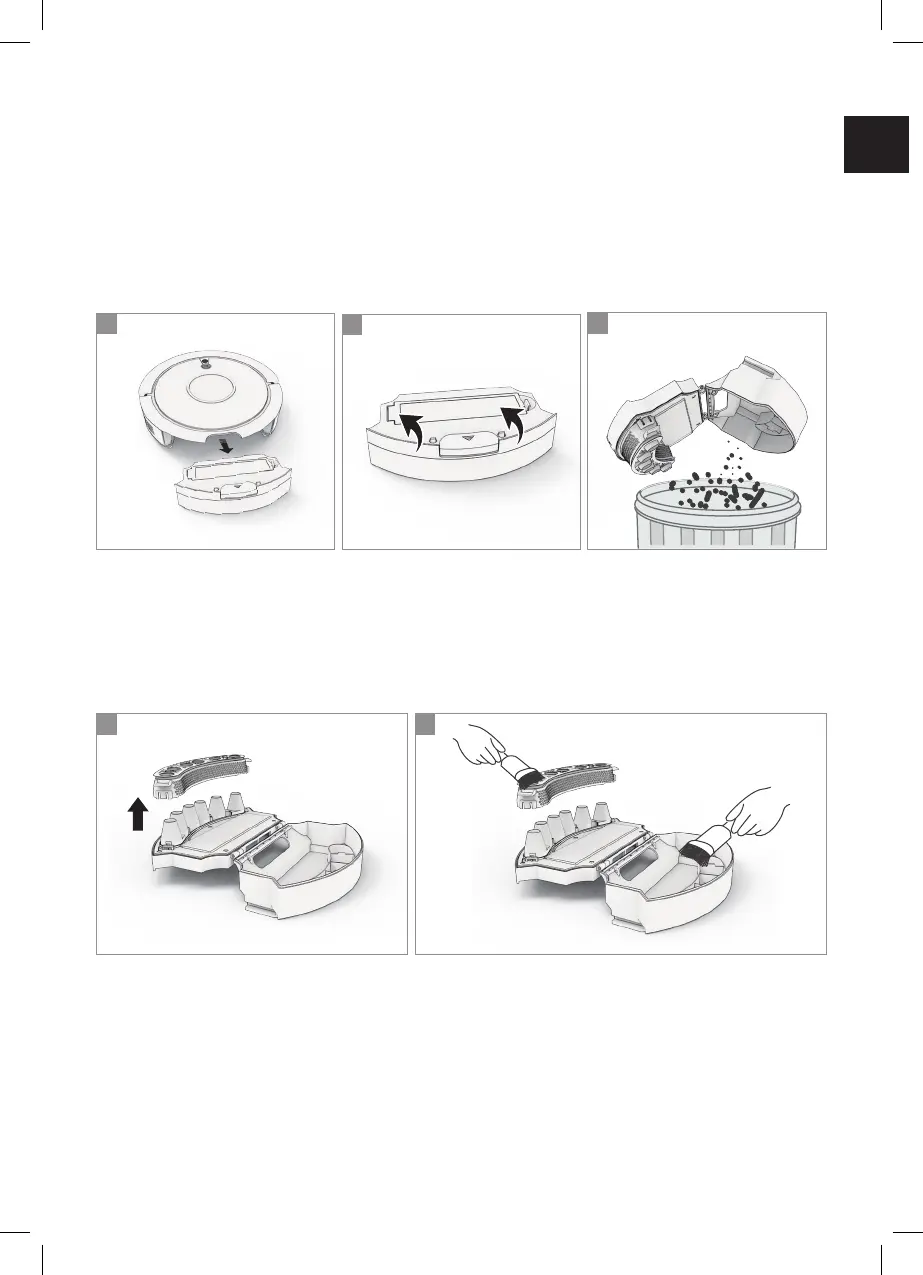
• Press the dustbin release button. Remove the dustbin from the
robot (Fig. 1).
• Pull up the dustbin cover to open the dustbin (Fig. 2).
• Empty the dust and debris into trash. Be careful not to empty any dustbin
parts (Fig. 3).
3
1
2
• Remove the isolation bracket (Fig. 4).
• Clean the isolation bracket and the dustbin with the cleaning comb (Fig. 5).
• Rinse the isolation bracket with water and let dry.
• Reinsert the isolation bracket.
• Close the dustbin.
• Reinsert the dustbin into the robot.
4
5
EN
23



 To Next Page