Customer Support: 1-888-999-4215 iLive 15
Requires an RCA audio/video cable (not
included)
Potential Connections: Gaming System, Set-top
Box, VCR, External DVD Player
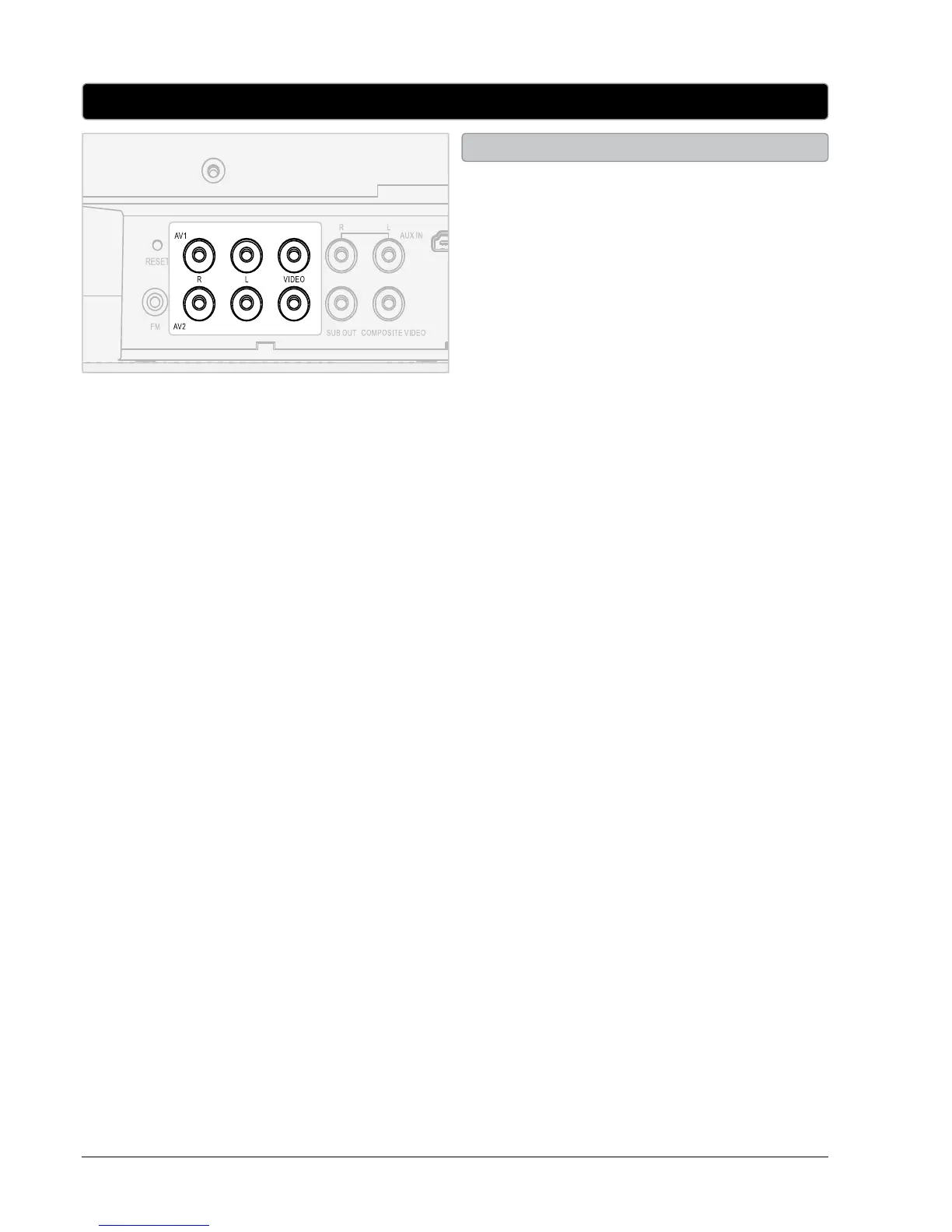
1. Connect an RCA audio/video cable AV1 or
AV2 inputs on the back of the bar speaker
and to a gaming system, set-top box, VCR, or
external DVD player..
2. Press the SOURCE button to switch to AV1 or
AV2 mode.
3. Use the connected audio and video source’s
native controls to play and control audio and
video played through the connected bar
speaker.
4. Use the COMPOSITE VIDEO OUTPUT or
HDMI OUTPUT to output video incoming to
the bar speaker to a television.
Audio/Video 1 and 2
AV1 and AV2



 To Next Page