4 | P a g e IM100 User Manual – Android, v1.41 Illuminati Instrument Corp.
IM100 Mechanical Features
The IM100 has many thoughtfully-designed physical features to help you with your image-making tasks.
Meter Design
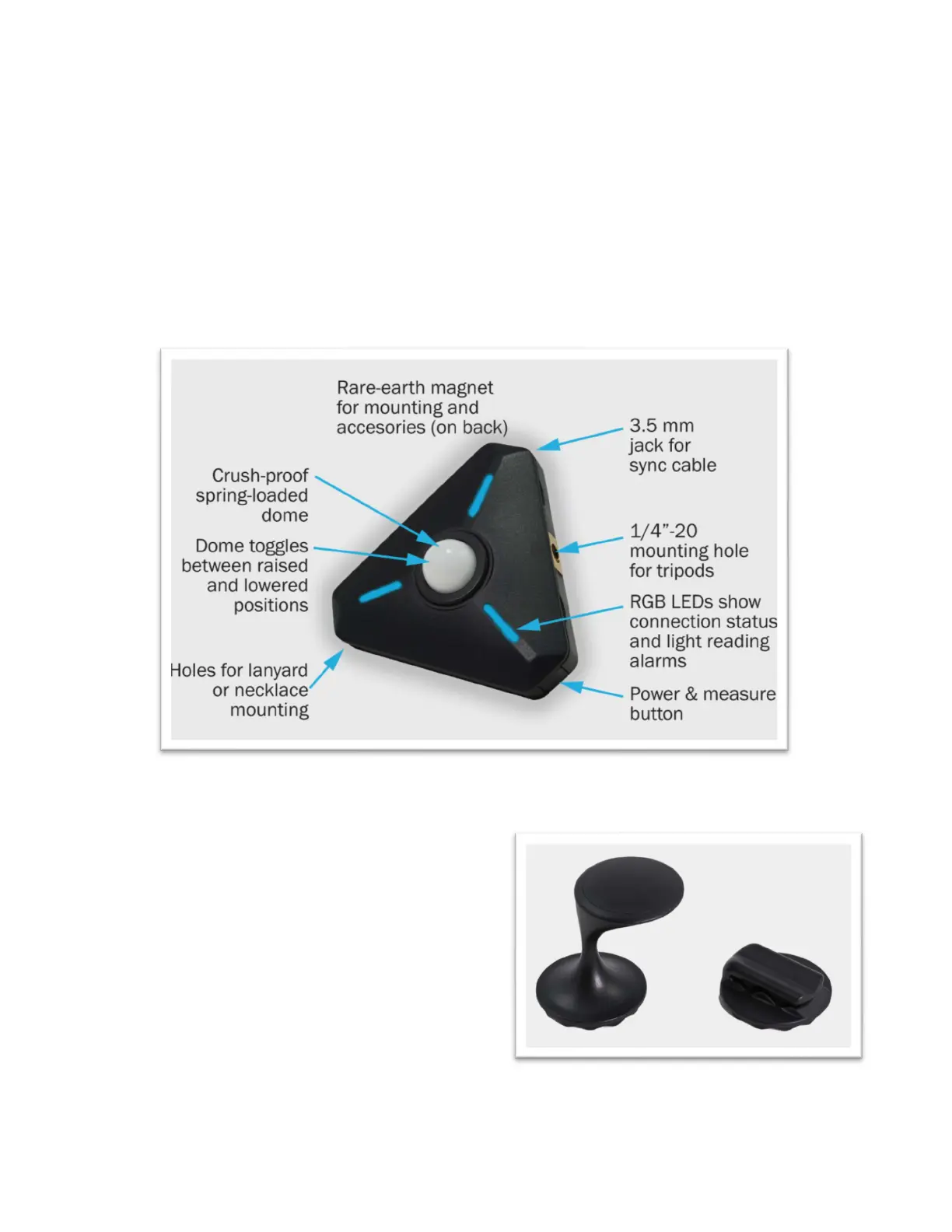
On the meter itself are several important features including the power button, features that help you
mount or hold the meter, useful dome position settings, and a jack for synching strobes. The illustration
below shows these.
Magnetic Accessories
The powerful rare-earth magnet on the back of
the meter can be used to mount the meter to a
ferrous metal surface or another magnet.
In addition, the Illuminati Meter comes with
two magnetic mounting accessories to help you
hold and mount your meter in a variety of
situations. The Finger-T magnetic accessory can
be used to hold the meter in your hand or it can
be used to place your meter on a flat surface,
such as a fabric or paper background. The
Alligator Clip accessory can be used to attach
the meter to fabric.



 To Next Page