24 | P a g e IM100 User Manual – Android, v1.41 Illuminati Instrument Corp.
Device Settings
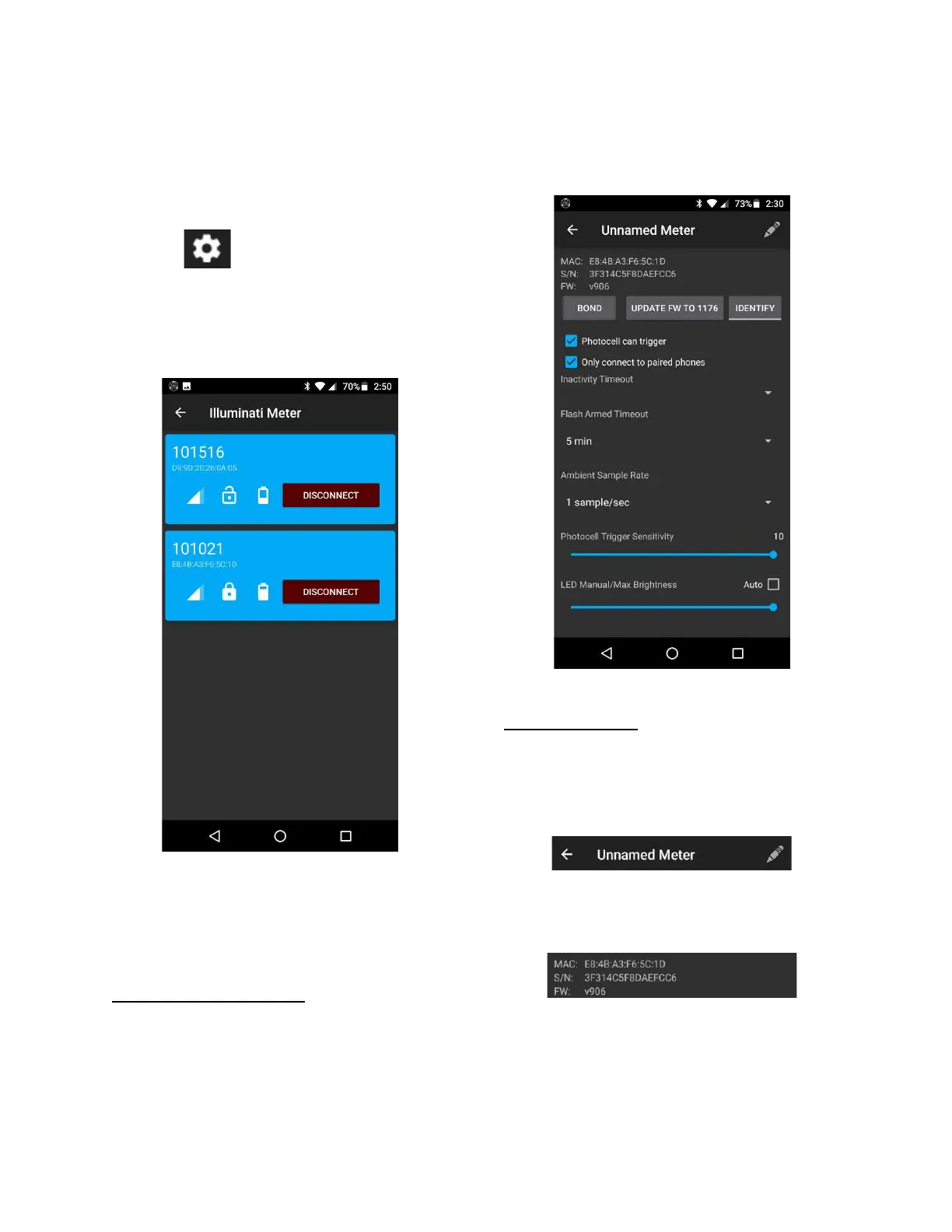
The Device Settings menu will upgrade
firmware and set several characteristics of your
meter. To access Device Settings, simply tap the
gear icon, , in the upper right of any of
the tabs (STILL, VIDEO, COLOR, COLOR GRAPH,
CHROMATICITY). You can also access the Device
Settings from the Devices screen by the tapping
on the meter you want to address:
The Devices screen
Meter Information
At the top of the Device Settings screen you will
find basic information about the meter.
Device Settings Appearance
The Device Settings screen shows you the
meter’s bonding state and firmware version.
This screen can change its appearance
depending on the firmware version installed on
the meter and what options are available for
that firmware version. When you update the
meter’s firmware, you may see new options.
The Device Settings screen for firmware v906
Device Information
At the top of the screen is the meter’s name,
and a pencil icon that is used to change the
meter’s name. You must be bonded to your
meter in order to change the name.
Next are the meter’s MAC address, the serial
number, and the firmware version number.


 To Next Page