Illuminati Instrument Corp. IM100 User Manual – Android, v1.41 P a g e | 2 5
BOND, FIRMWARE, IDENTIFY
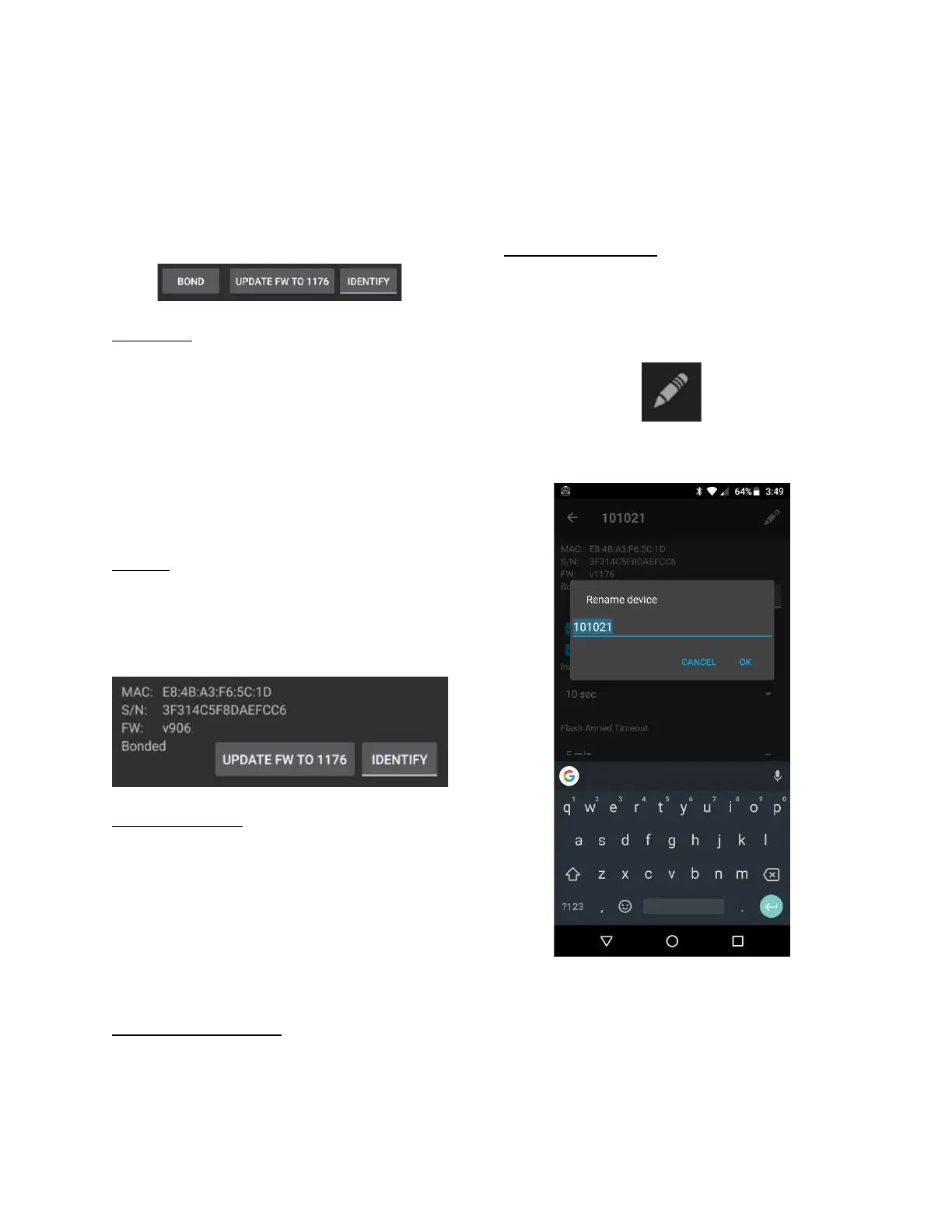
And then come the buttons which will BOND
your meter and phone, UPDATE firmware, and
IDENTIFY your meter by flashing the LEDs in a
pattern.
Why Bond?
While not necessary, bonding is needed if:
a. you want to rename your meter
b. you want to update the meter’s firmware
c. there are other IM100 meters in the
vicinity and you want to ensure
connectivity and control between your
own smartphone and your illuminati
meter.
To Bond
Tap the BOND button. The button will disappear
and the LEDs on your meter will flash indicating
the meter is bonded. The display also changes
to this:
A Note on Bonding
If you have bonded to your phone earlier and
get a new phone, your meter may not connect
to your new phone. Versions of firmware and
the app earlier than this release did not allow a
bonded meter to connect to different phones.
This behavior has been changed in this version
so that you can connect a phone to a meter
previously bonded to another phone.
Erasing the Bonding Info
To erase the bonding info in your meter, press
and hold the meter’s power button for 6 - 8
seconds – until you see the LEDs flash magenta.
It is also good practice to also erase the bonding
information in your phone. Open the Android
Settings app and look for connected devices.
Find Illuminati Meter in the list. Click on the
“gear” icon and select “FORGET”.
Renaming Your Meter
Once the phone and meter are bonded (paired),
the meter’s name can be changed.
Click on the pencil icon in the upper right.
Fill in the name you want and tap “OK”.
Renaming your meter


 To Next Page