26 | P a g e IM100 User Manual – Android, v1.41 Illuminati Instrument Corp.
Firmware Update
When new firmware is available, the app will
download it from the cloud to your meter.
There is no need to download a new app
version. Note that your meter and phone must
be bonded in order to continue.
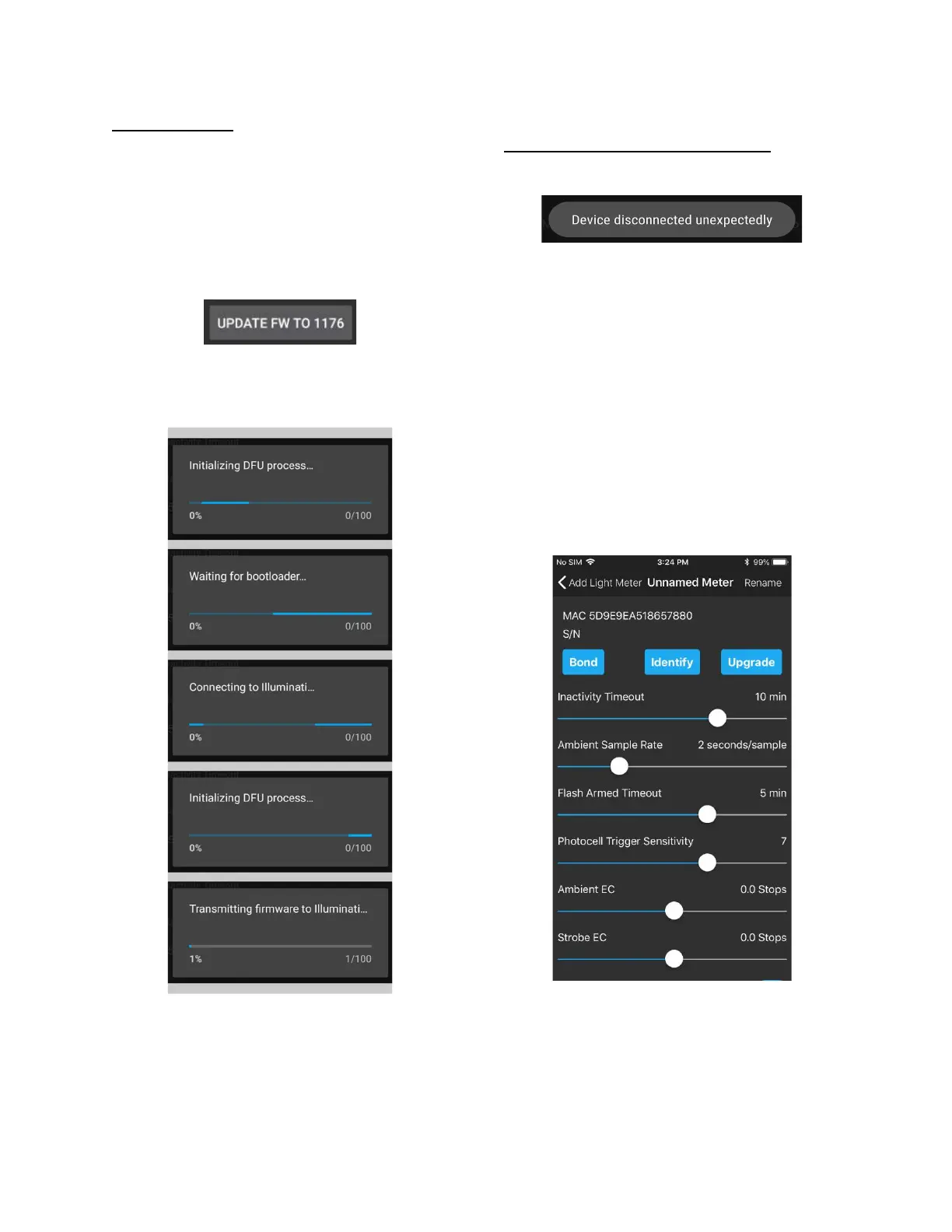
Tap the FIRMWARE update button.
The meter and phone will go through several
steps to complete the firmware update.
Firmware update messages from app
The update process lasts a total of 2.5 minutes.
When the firmware update is complete, the
meter will power down. Restart the meter and
it will reconnect to your phone.
Troubleshooting the Firmware Update
If you see this message:
This is normal. The meter will disconnect and
reconnect during the firmware update process.
If the firmware update process seems to
complete, but after you restart the meter you
see the old firmware version number, you
phone likely went to sleep before the firmware
was fully updated due to inactivity on the
phone. If you restart the firmware update, it
will pick up right where it left off and continue
to upload the new firmware to your meter. If
you touch the screen gently while the update is
ongoing, the phone will not go to sleep.
The phone will respond with a Bluetooth pairing
request. Select the “Pair” option. The phone
and meter will be bonded.



 To Next Page