Illuminati Instrument Corp. IM150 User Manual P a g e | 9
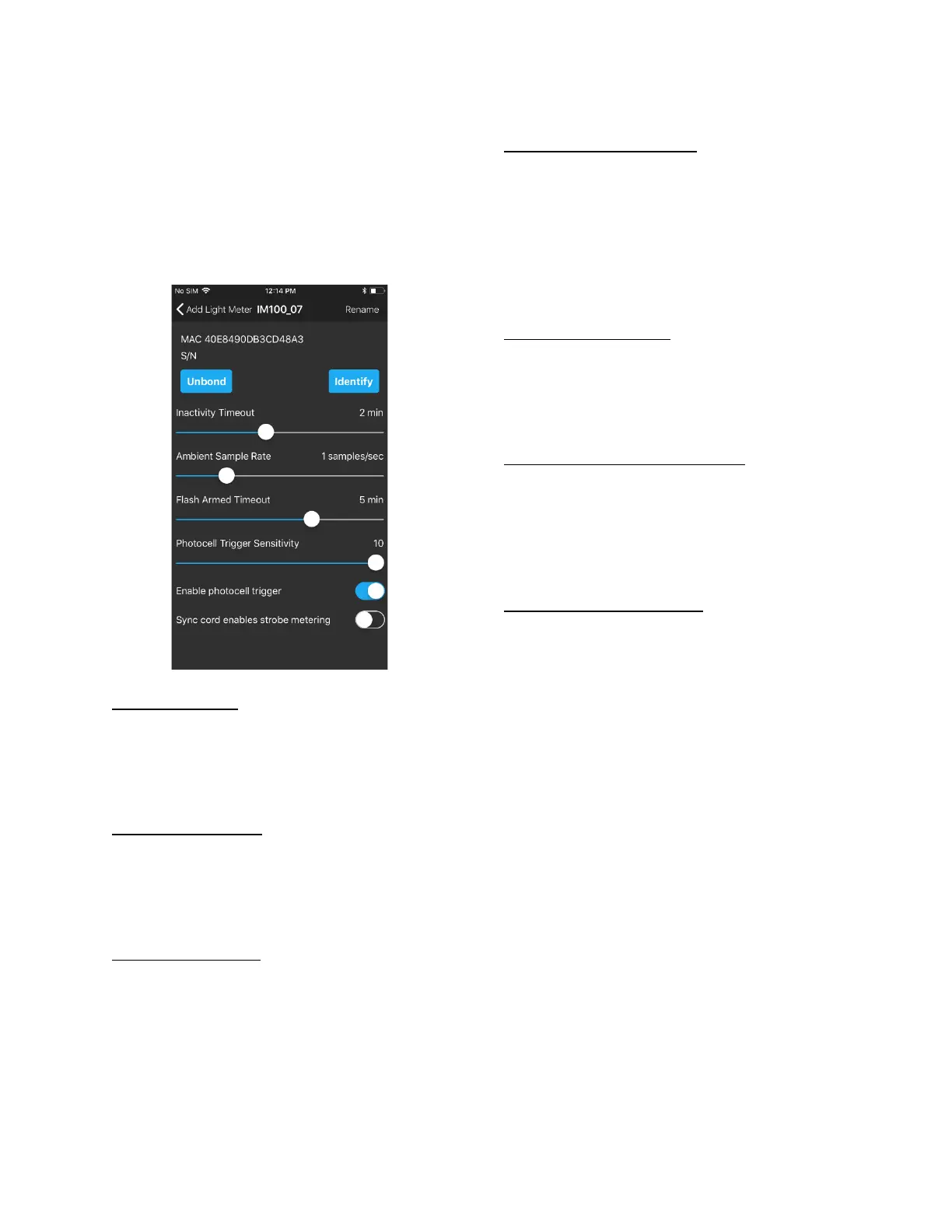
Technical Settings
In addition to the bonding , identifying, and
renaming functions, there are several other
technical settings for your meter. There are four
sliders and two buttons for setting various
parameters for your meter.
Inactivity Timeout
If the meter is inactive for a period of time, it
will automatically power down. The time can be
set in the Inactivity Timeout slider. Values can
range from 10 sec. to 30 mins.
Ambient Sample Rate
The meter can be set to sample the ambient
lighting at a set internal. Values can range from
5 samples/sec (1 sample every 0.2 secs.) to 60
seconds per sample (1 sample per minute).
Flash Armed Timeout
The flash trigger can be armed and waiting for a
trigger event. This setting controls the amount
of time until the meter exits “Flash Armed”
mode. Values can range from 5 secs. To 30
minutes.
Photocell Trigger Sensitivity
This control sets the sensitivity of the flash
trigger. Values range from 1 to 10. Set it to a
high value if there are few, if any, other light
sources in the area. If there are several other
light sources in the vicinity that could trigger
the cell, a low value will ensure the flash will
trigger properly.
Enable photocell trigger
There is a separate photocell in the IM150 that
looks for the rapidly increasing light levels
produced by a flash. You can choose to turn this
photocell off, if you are not using flash lighting.
Sync cord enables strobe metering
There is a sync cord port on one corner of the
IM150. Enable this function if you would like to
use the sync cord port to fire the strobe.
Pressing the power button once, briefly, will fire
the strobes.
Return to Metering Function
When you are done, press arrow next to the
“Add Light Meter” text in the upper left of the
screen.
Then, on the next screen, press, “Done” in the
upper right of the screen.



 To Next Page