Illustra Flex 3MP and 8MP Outdoor Bullet Quick Start Guide
8200-1456-03 G0 4
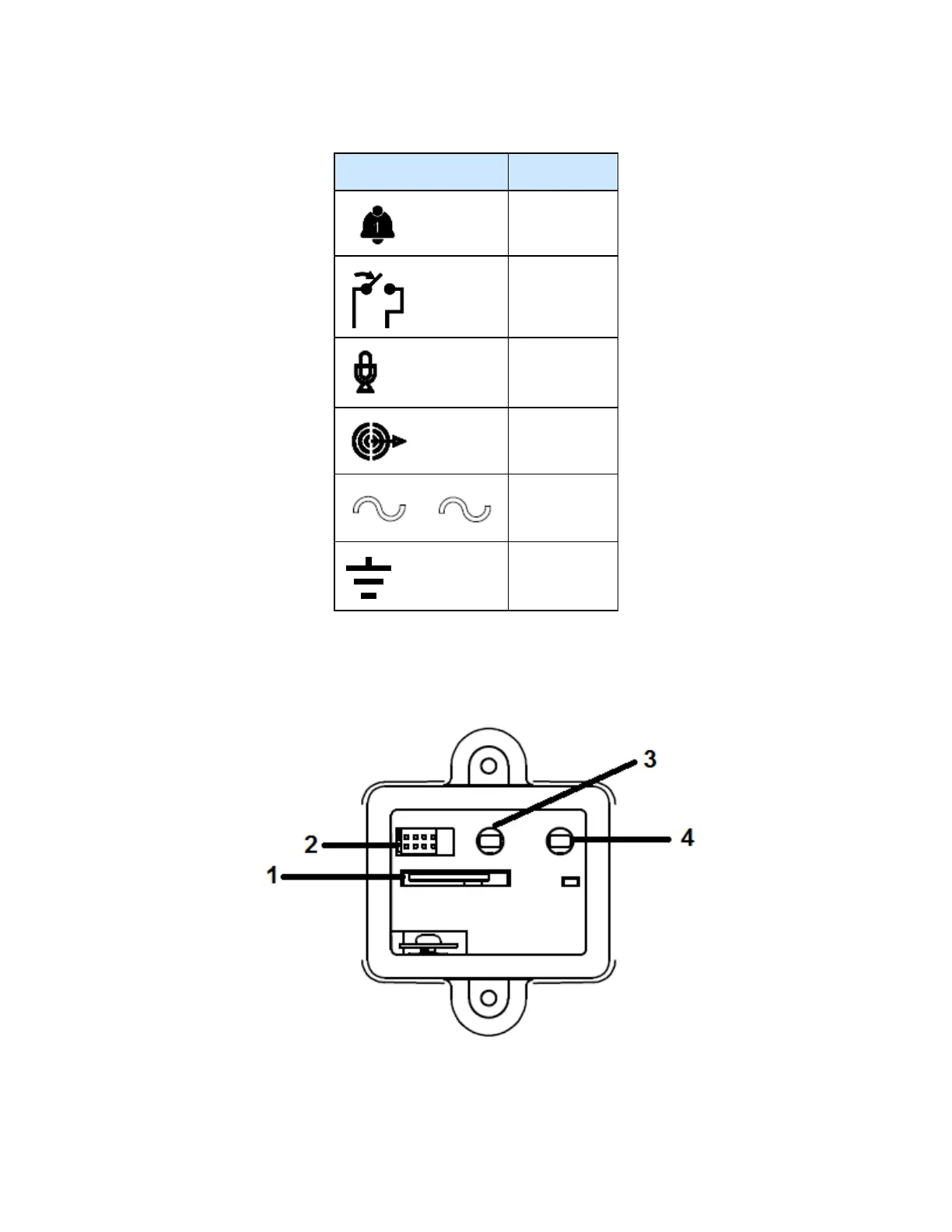
Table 6 Input/Output connector descriptions
Icon Description
Alarm In
Alarm Out
Audio In
Audio Out
Power
Ground
You can find the interior buttons and ports on the base of the Illustra Flex Bullet camera. Remove the
two screws to open the cover for access to these pins. Refer to Figure 7 on page 4 and Table 8 on
Page 5 for descriptions of these buttons and ports.
Figure 7 Interior buttons and ports of the Illustra Flex Bullet cameras


 To Next Page