V10M10_IM_EN_02142008
www.i-Luv.com - 12 -
OPERATIONAL INSTRUCTIONS
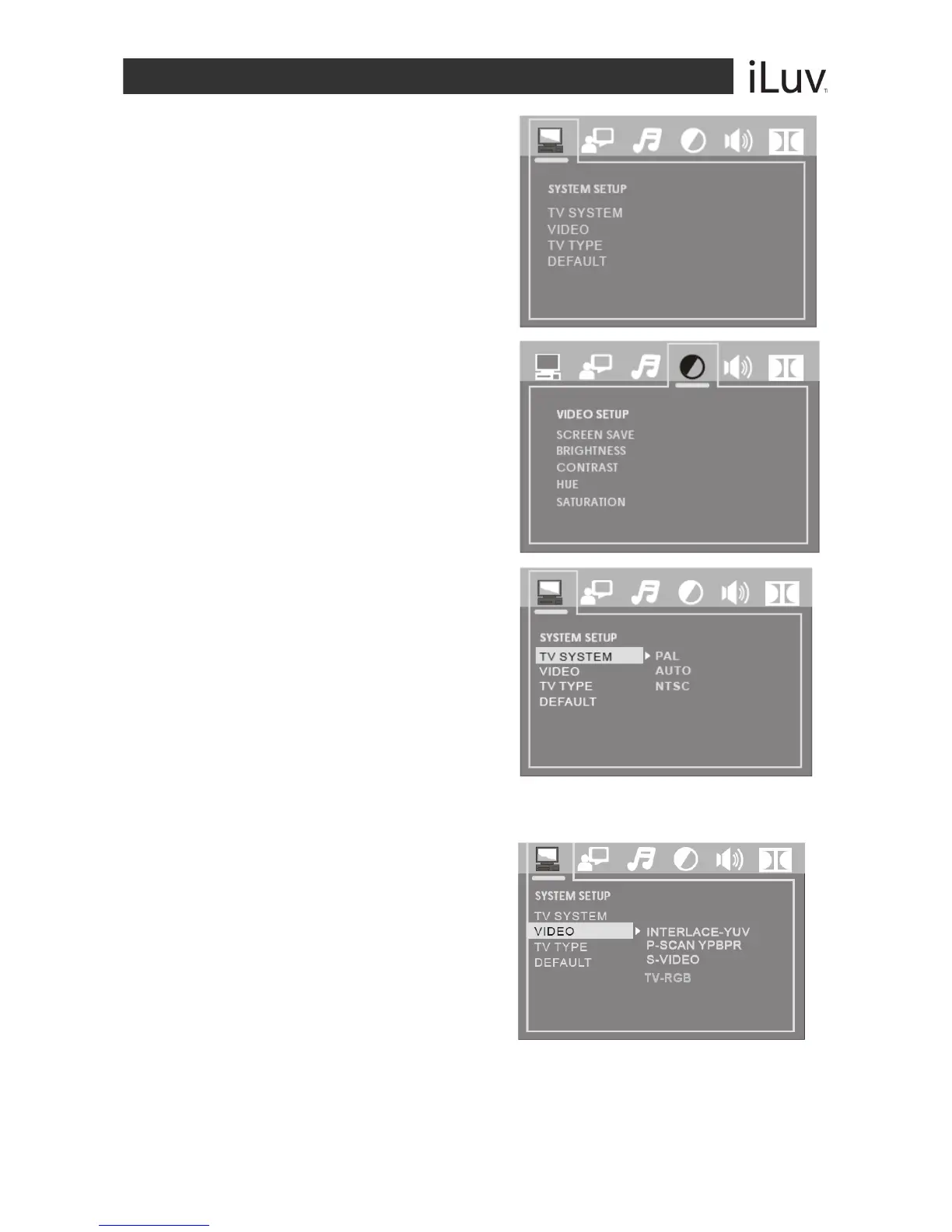
System Setup
Press the SETUP button to display the Main menu.
Press the NAVIGATION W / X buttons to
highlight the icon of the desired page.
Press the NAVIGATION S / T buttons to
activate that page.
Press the NAVIGATION T button to
highlight the desired option.
Press the ENTER button or the
NAVIGATION X button to select from the
options that appear on the right of the
screen.
Navigating the Setup Menu
TV SYSTEM
Choose the TV System according to the
color specifications of your TV.
VIDEO
According to the output jack of TV set,
you can choose S-VIDEO, YUV, P-
SCAN, YPbPr, or TV RGB.
Notes: Only choose PSCAN if your DVD player is
connected to a Progressive Scan TV with Y,Cb,Cr
cables. Choose TV RGB if the SCART socket is
used.



 To Next Page