V10M10_IM_EN_02142008
www.i-Luv.com - 19 -
OPERATIONAL INSTRUCTIONS
Volume Control
Press the VOL + or VOL- buttons to adjust the sound level.
Mute
Press the MUTE button to temporarily mute the speakers. Press the MUTE button again to
resume audio.
JPEG / MP3 Playback
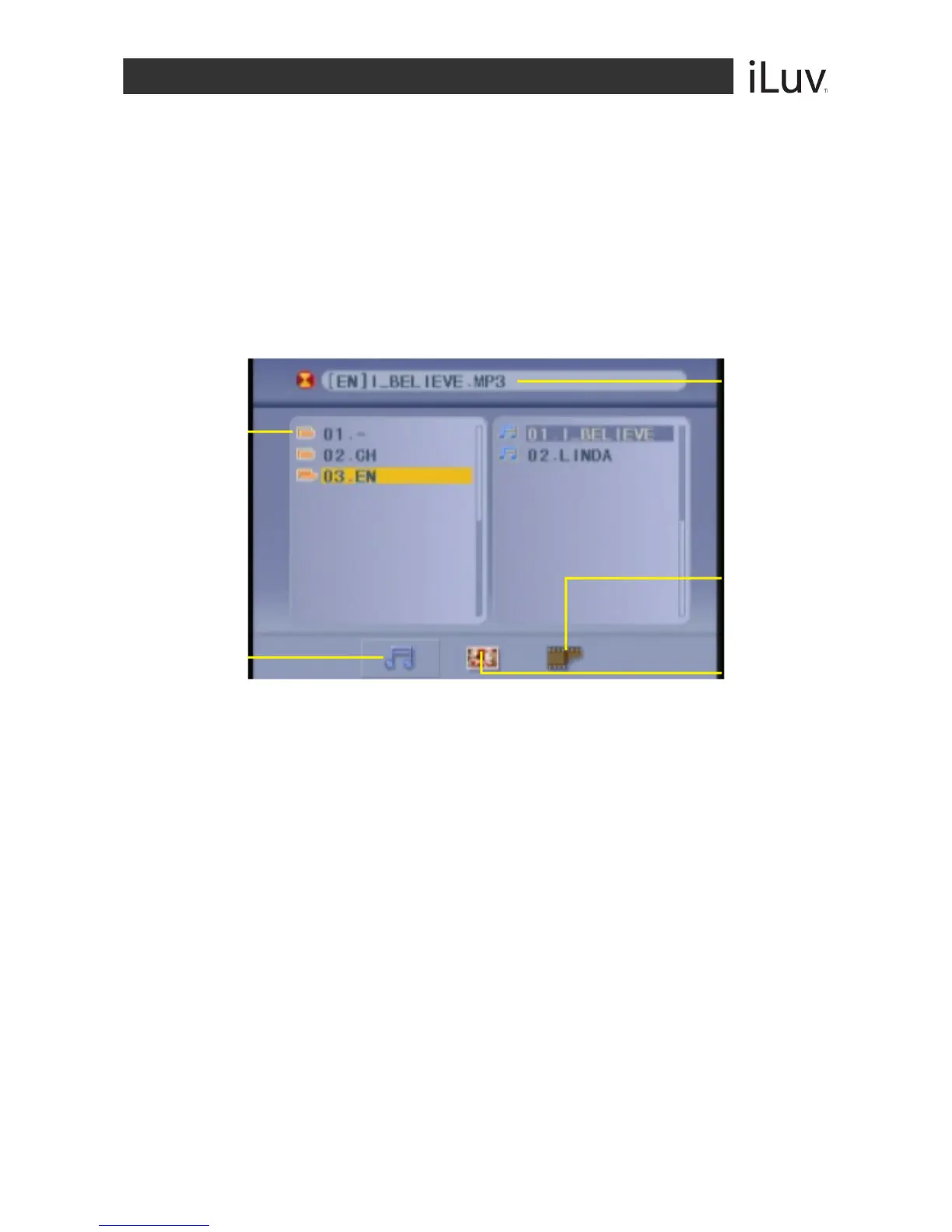
When a JPEG or an MP3 disc is loaded, the screen will display as follows:
1. Press the NAVIGATION S / T buttons to select the file when the cursor appears in
the file window.
2. Press the ENTER button to play the current file selected by the cursor.
3. Press the NAVIGATION W / X buttons to switch between the directory window and
the file window.
Note: The player will not function correctly under the following conditions:
o The disc is badly scratched, damaged or dirty.
o The disc is not finalized.
o The recording format is not supported by the player.
Current
directory
name
Current
MP3/JPEG file
name. If a
JPEG file is
playing, the
name should
have a JPEG
extension.
File Switch
Region:
Displays the
type of file
playing and
the switching.
The Playing
file is an MP3
audio file
The Playing
file is a JPEG
audio file



 To Next Page