V10M10_IM_EN_02142008
www.i-Luv.com - 14 -
OPERATIONAL INSTRUCTIONS
Language Setup-continued
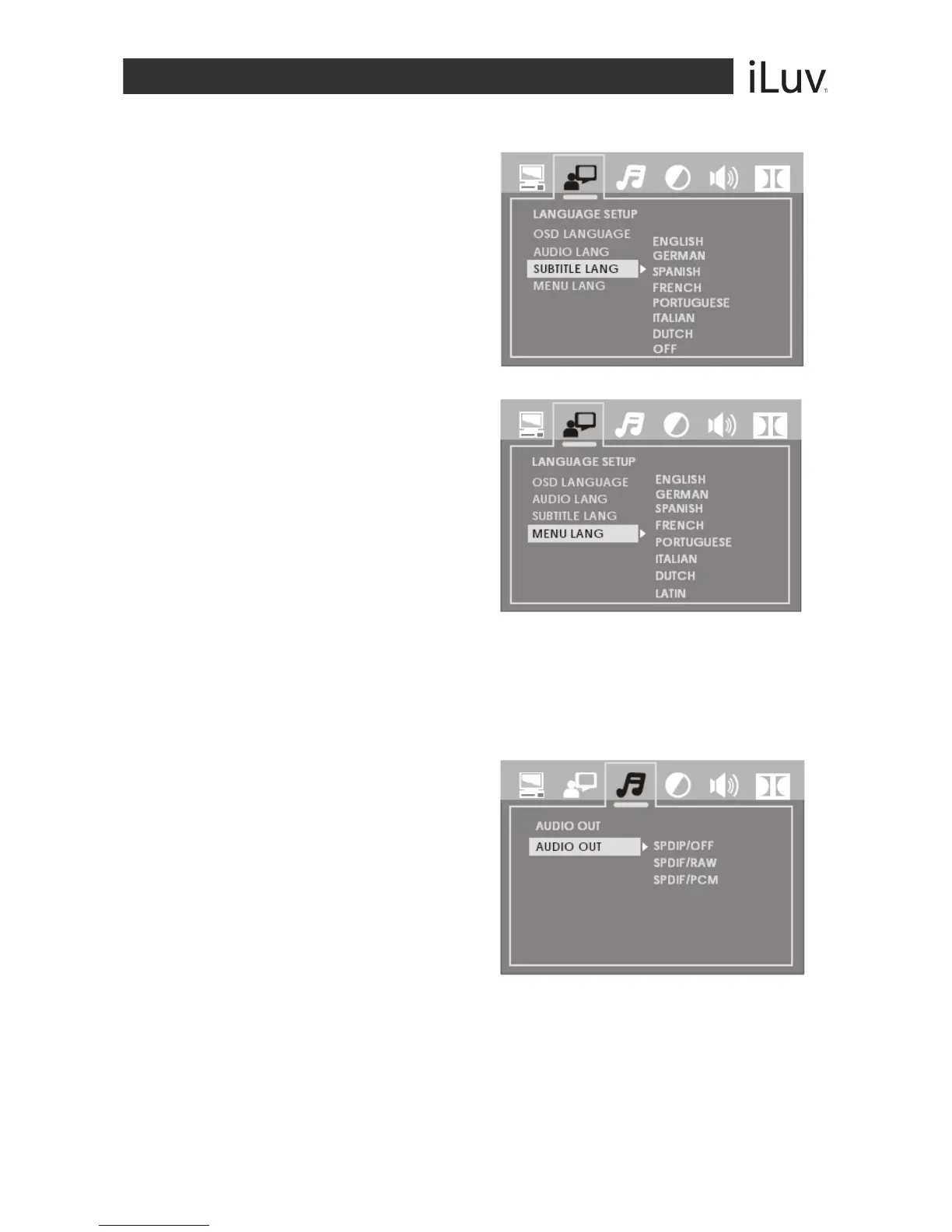
SUBTITLE LANGUAGE
Highlight the Subtitle Lang option and use
the NAVIGATION W / X / S / T buttons
to choose the subtitle language you prefer.
Press the ENTER button to confirm.
If the disc supports the language chosen, it
will display subtitles in that language.
MENU LANGUAGE
Highlight the Menu Lang option and
use the NAVIGATION W / X / S / T
buttons to choose the menu language
you prefer.
Press the ENTER button to confirm.
If the disc supports the language
chosen, the menu will display in the
chosen language. If the disc does
NOT support the chosen language,
the default language programmed
into the disc will display.
Audio Setup
Highlight the Audio Out option using the NAVIGATION W / X / S / T buttons to choose the
audio output you prefer. Press the ENTER button to confirm. There are three output modes.
SPDIF / OFF
SPDIF / RAW: Choose this setting if
your DVD player is connected to a
power amplifier with Dolby digital
decoder and Coaxial cable.
SPDIF / PCM: Choose this setting if
your DVD player is connected to a 2-
channel digital stereo amplifier.



 To Next Page