Stereo Audio System for Your iPod V10M10_IM_EN_12072007
www.i-Luv.com - 22 -
BluePin
TM
Setup and operating Instructions-continued
z Ensure that BluePin
TM
is powered on, if not, press the BluePin
TM
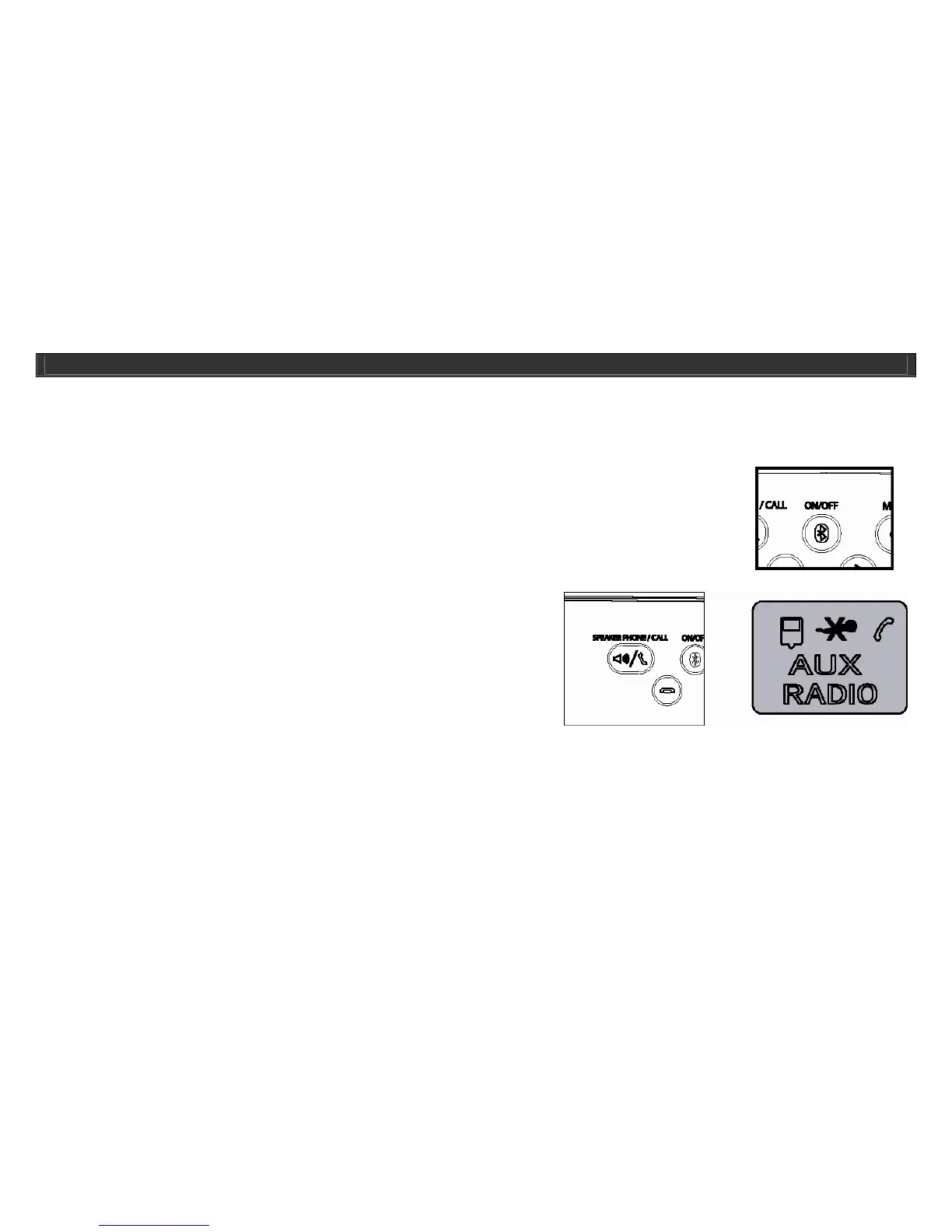
ON/OFF button of i399/i398 to turn on the BluePin
TM
, the “Bluetooth”
icon will flash.
z Press the MODE button of i399/i398 or the BluePin
TM
button of remote control to enter to BluePin
TM
RCV function.
z Follow the above instructions (number 8) to pair with a cell phone with Bluetooth technology.
z Now you can enjoy the speakerphone function.
z Receive a call: (three different ways)
{ If there is an incoming call, i399/i398 will ring, press the SPEAKER PHONE/CALL button of
i399/i398 or remote control to receive the call.
{ Also you can press the OK button of cell phone to receive the call.
{ If you want to mute the microphone during talking, press the
SPEAKER PHONE/CALL button, the LCD will show a “MIC
MUTE” icon, press the SPEAKER PHONE/CALL button again
to release the microphone muting.
OPERATIONAL INSTRUCTIONS



 To Next Page