11 | iLuv
OPERATIONAL INSTRUCTIONS
Setting the Alarm
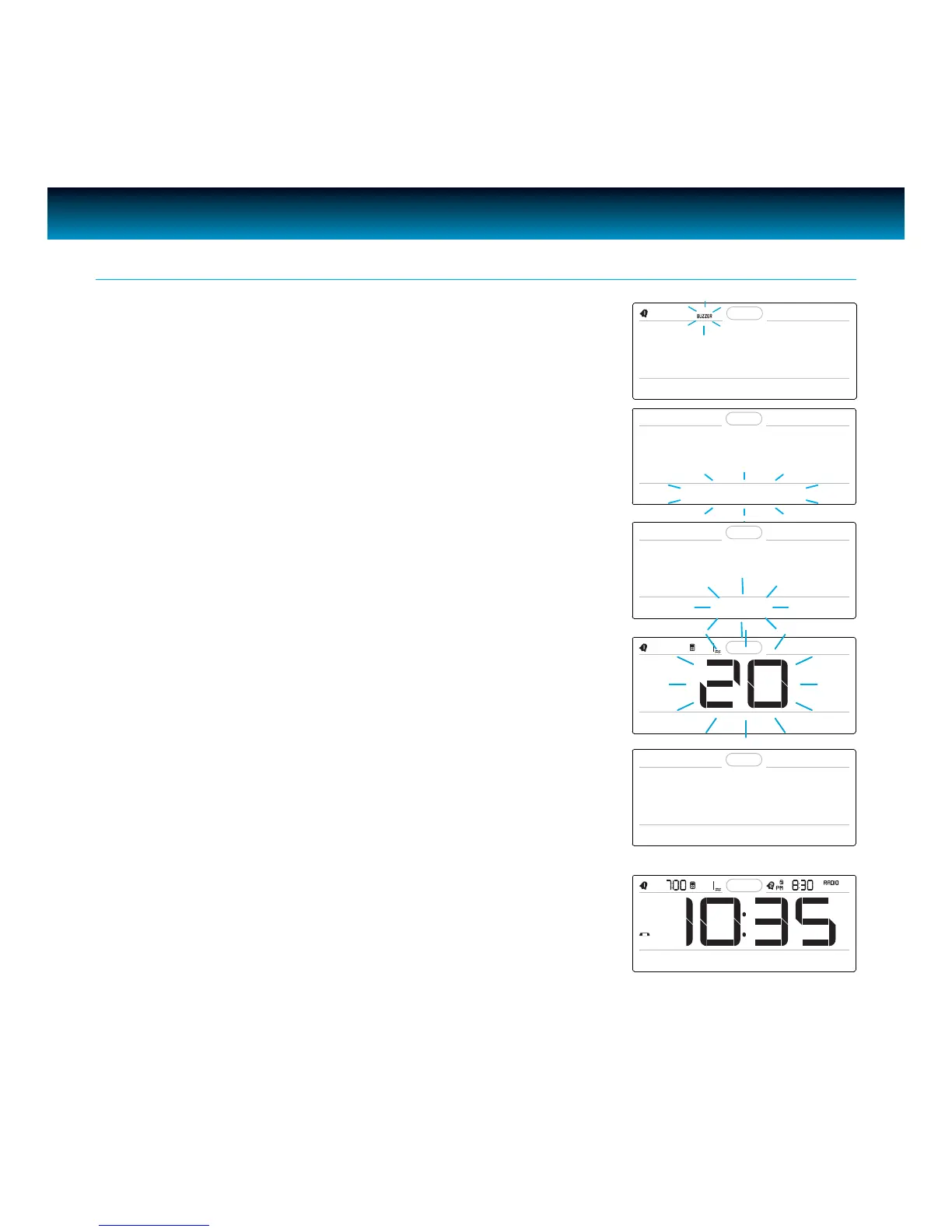
7. Rotate the SEARCH wheel to change the wake mode (total
of 7 modes: Buzzer, iPod, Radio, Shaker, Buzzer + Shaker,
iPod + Shaker, Radio + Shaker), press SELECT to conrm,
the “SET BUZZ SOUND” displays for one (1) second and
then “Buzz” will blink on the LCD screen.
Note: “SET BUZZ SOUND” option displays only when the “Buzzer” or
“Buzzer + Shaker” wake to mode is selected. The setup menu will
skip this option and go to “SET VOLUME” if other wake to modes
are selected.
Turning the Alarm ON and OFF
· Press the AL1 or AL2 button to turn on or turn o the alarm
function.
8. Rotate the SEARCH wheel to select the buzzer sound.
Press SELECT to conrm. “VOLUME” blinks and “SET
VOLUME” displays on the LCD screen.
· There are total of 7 melody sounds can be selected: Buzz,
Phone ring, Train horn, Rooster, Cuckoo clock, Xylophone,
Horse race.
SET WAKE TO
SET VOLUME
SET BUZZ SOUND
BUZZ
2. ALARM 1 SET
AUG 27 2010 THU
9. Rotate the SEARCH wheel to change alarm volume (1-40),
press SELECT to conrm and exit.



 To Next Page