GB
47
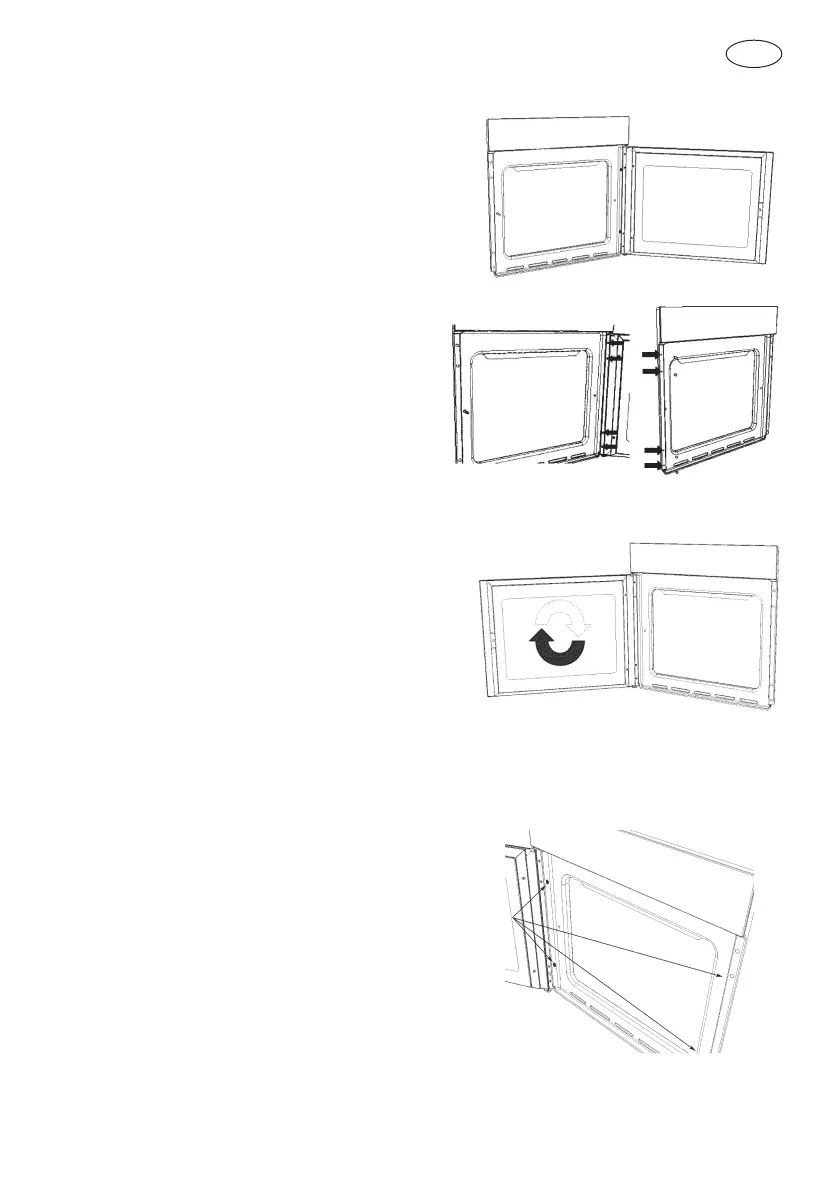
Removing the slide oven door
1 Decide whether you want the door to open
to the left or right before positioning the
appliance in the oven recess.
2 Fully open the door.
3 Remove the four fixing screws from the
door hinge.
4 Remove the four plastic caps from the opposite side and unscrew the locking pin.
5 Turn the door 180°.
6 Secure the door in its new position using the 4 screws removed previously.
NOTE: Make sure that the oven door is perfectly parallel with the front panel. If it is not,
adjust it by means of the screws you have just inserted.
7 Fix the oven in the oven recess using the
4 screws and the plastic spacers provided.


 To Next Page