14
Standard Clock Operation — MP Models
The clock is a 24 hour clock and needs to be set before the
main oven can be operated.
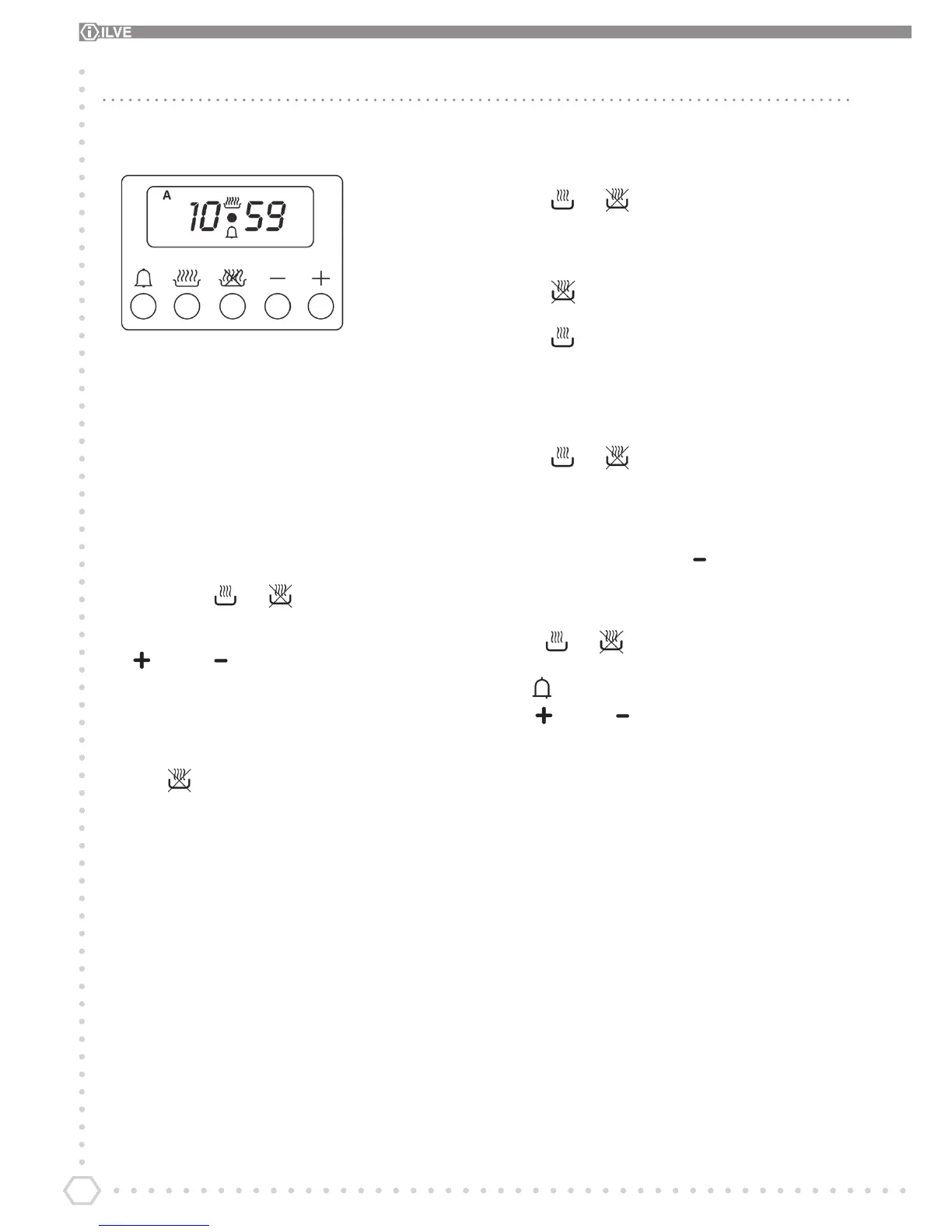
A B C D E
A = Minute minder
B = Auto time Start
C = Auto time end
D = Decrease the selected parameter
E = Increase the selected parameter
To set clock
1. Press buttons and together.
2. When the dot in the middle of the clock ashes press plus
or minus to set the time of day.
3. When the time is set the dot will ash for 3 seconds before
the clock resumes.
To Set oven to auto nish at a chosen time.
1. Press and set the time you require the oven to switch
o.
2. Set 9 function switch and the oven temperature.
3. When the desired time has been reached the oven will
switch o and the clock will bleep for 1 minute.
4. Press and together will set the clock back to
manual.
To set clock to switch on and o.
1. Press and set the time you require the oven to switch
o.
2. Press and set the amount of time you require the food
to cook. (duration time)
3. Set 9 function switch and the oven temperature.
4. When the automatic set time has completed the oven will
switch o and the clock will bleep for 1 minute.
5. Press and together this will set the clock back
to manual.
Notes
By pressing the negative button at any time the clock is
in normal manual mode. The minute minder will bleep the
current setting in volume. Pressing a second time will move
it to another setting (o, low, medium and high).
Press and at any time if the clock has been set
incorrectly. This will return the clock to manual mode.
The button operates the minute minder. Then press the
plus or minus button to set the amount of minutes
required. Press any button to cancel bleep.


 To Next Page