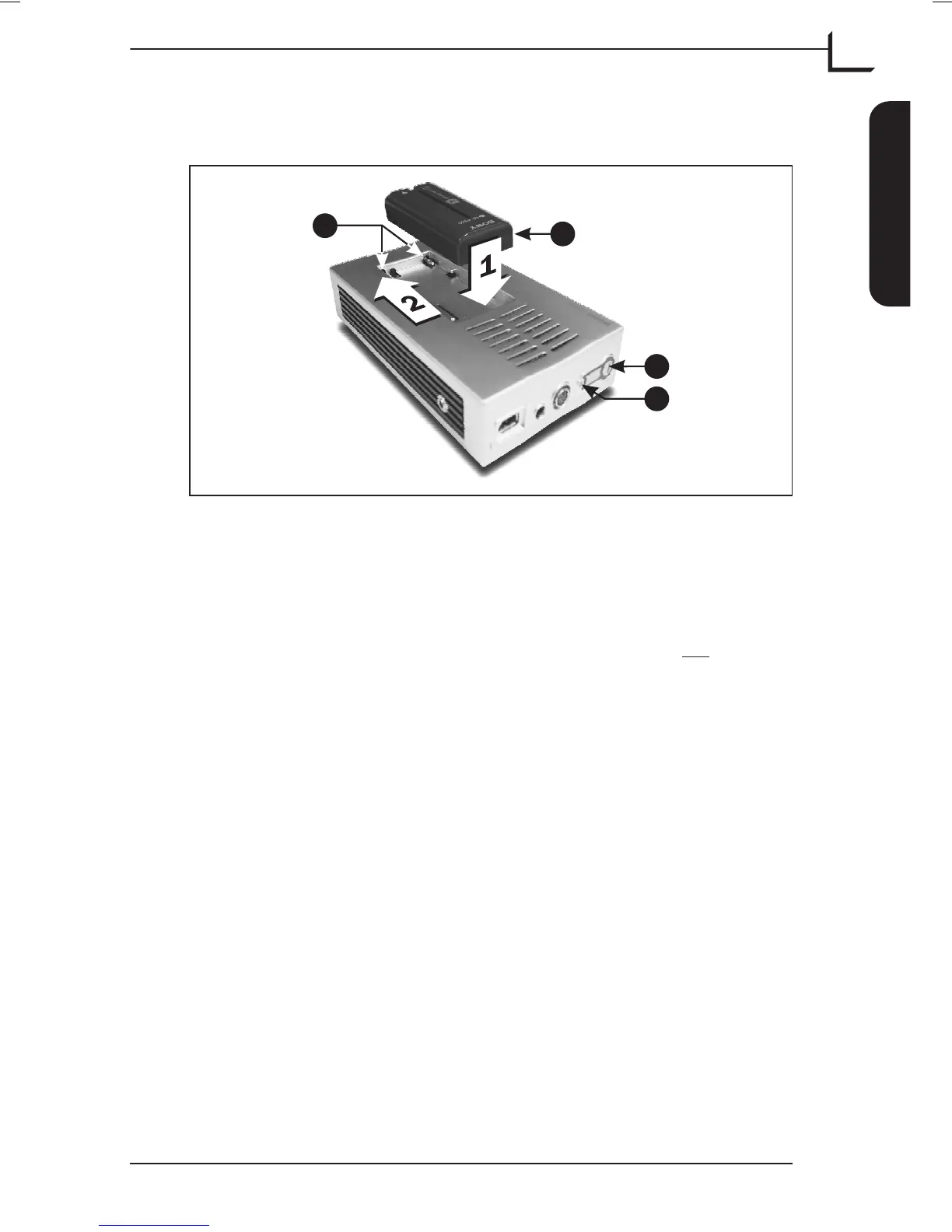
Mounting/Dismounting the Battery
Mounting the Battery
To mount the battery on the Image Back follow procedure below (see
Figure 5):
1. Lower the battery A into the battery compartment. Do not
place it
on top of the terminal pins B.
2. Push the battery as far as it goes towards and onto the terminal pins
B.
Dismounting the Battery
NOTE! Before dismounting the battery make sure that the Image Bank’s
hard disk is not busy - the status indicator C must be green - then
switch off the unit on the On/Off button D.
Push the battery A away from and off the terminal pins B then lift it
off.
User's Guide - Imacon Ixpress
English
The Image Bank
33
Mounting/Dismounting the Battery
C
D
A
B
Figure 5: Mounting/Dismounting the Battery



 To Next Page