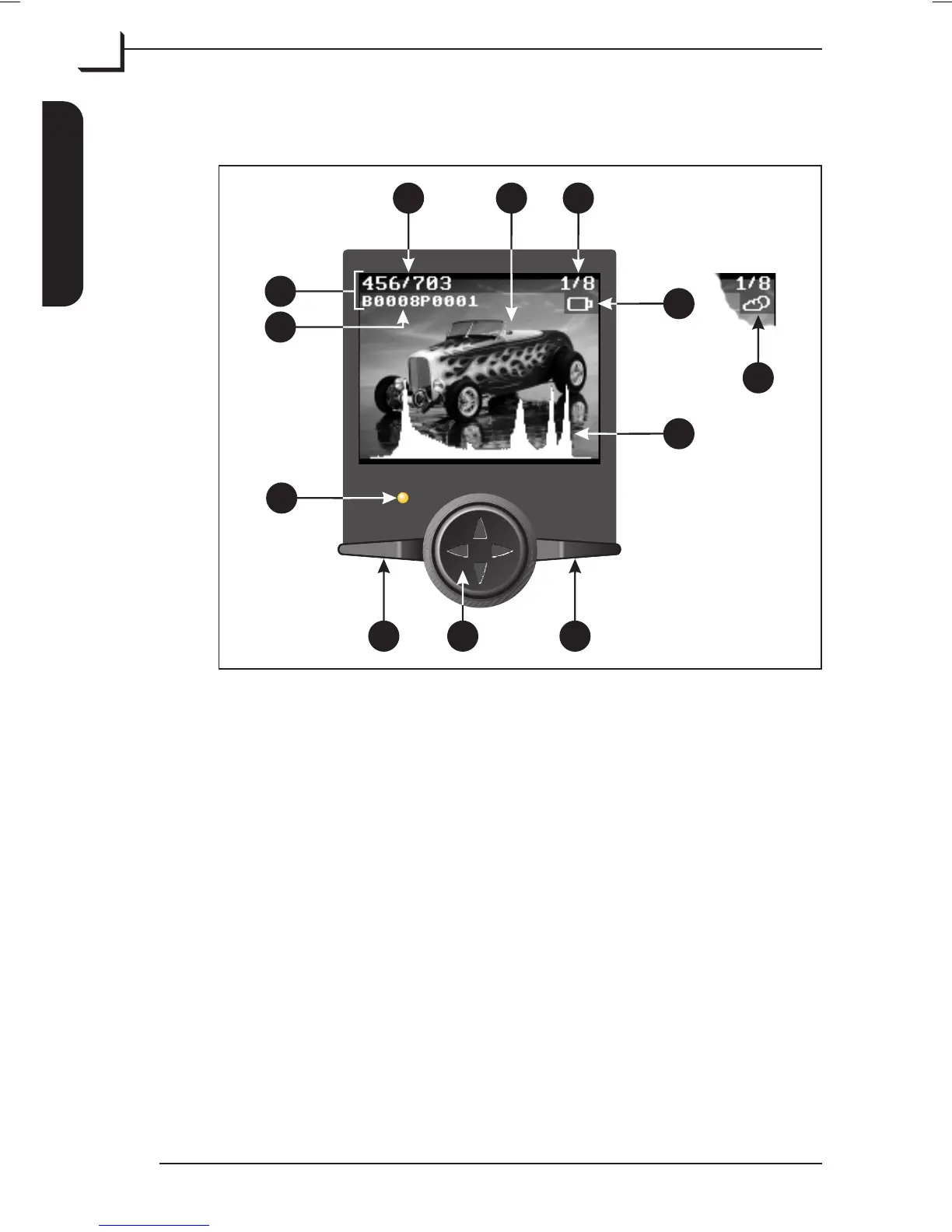
The Ixpress Control Panel
When using the Ixpress Camera Back as a stand-alone unit it is entirely
controlled from the control panel built into the device. The 2" color
display shows instant preview of your image and the control panel
buttons enables you to browse through all pictures currently saved in the
Image Bank, to read information and exposure data from each picture,
and to make basic camera settings.
The control panel holds the following (see Figure 3):
A Image preview: generated within 2 secs.
B Image Info: shows info (items C, D, and E) for the image
currently previewed. From the Setup menu you can select whether
or not to display the info - see "Setup" on page 27 for details.
C Picture name: shows the name of the picture currently previewed.
The name given to each new shot is based on the setting of the
Batch... parameter - see page 23 for details.
User's Guide - Imacon Ixpress
English
The Ixpress Camera Back
14
The Ixpress Control Panel
OK
MENU
EDA
C
B
KML
F
H
J
G
Figure 3: The Ixpress Control Panel



 To Next Page