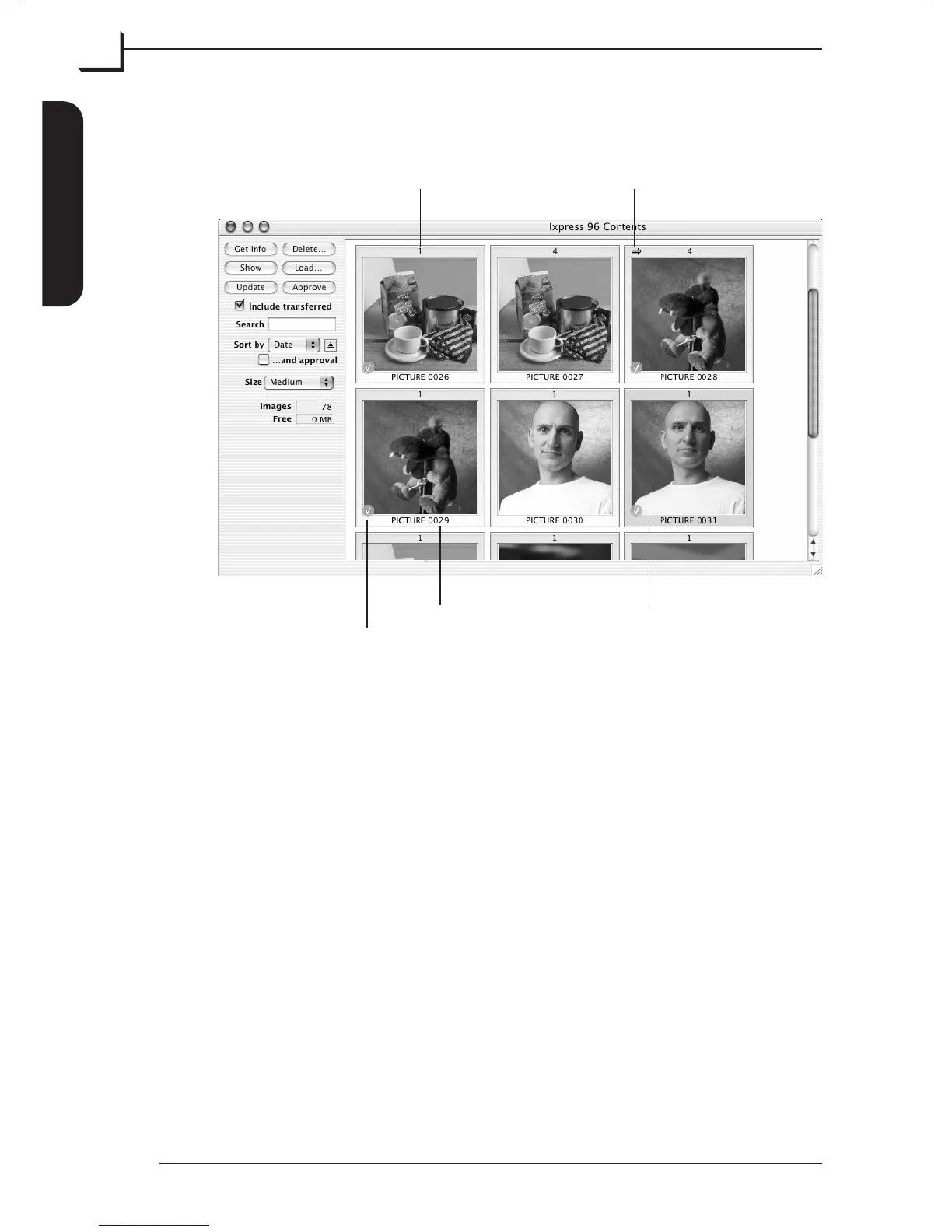
The Contents Window
The Contents window displays the following:
The exposure mode will be shown as one of the following values:
•
1 for single-shot and preview-shot
•
4 for multi-shot
•
16 for micro-step
From the Contents window you have the following options:
Get Info Displays a basic image file information window for each of
the selected shots.
Delete… Deletes the currently selected shot(s) from the Image Bank’s
hard disk.
Show Shows the image in FlexColor's preview window and a
transfer of the selected image to your thumbnails folder will
start. Double-clicking or typing Return will have the same
effect.
Load… Transfers the selected shot(s) to the currently selected
Thumbnails folder and saves them as “3F” files.
User's Guide - Imacon Ixpress
English
The Image Bank
36
Transferring Images
Exposure mode Transferred mark
Approval checkmark
Image name Selected Image



 To Next Page