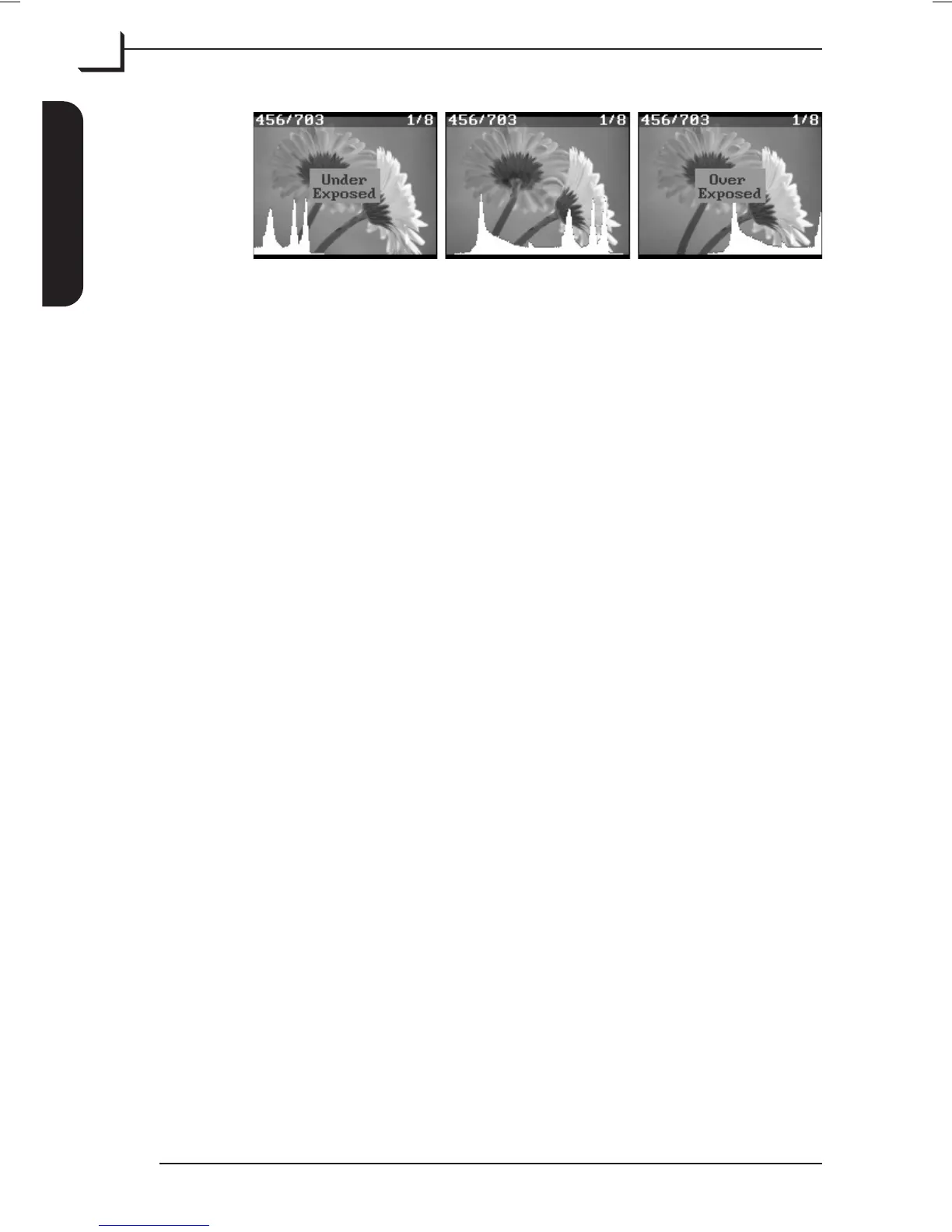
In case the max point exceeds 0 (histogram curve is cut off at the
right side of the display) it indicates an overexposure and the
camera back will play a warning sound, while an “Over Exposed”
message flashes on the display. In this case either choose a smaller
aperture, turn down the flash-light, select a shorter exposure time or
change ISO setting to a lower value.
If the histogram curve is cut off at the left side of the display it
indicates an underexposure and the camera back will play a warning
sound, while an “Under Exposed” message flashes on the display. In
this case either choose a larger aperture, turn up the flash-light,
select a longer exposure time or change ISO setting to a higher value
(can increase the noise in the image).
4. Press Delete to delete under- and over exposed images.
5. Change settings if required and take the picture again.
6. When finished connect the Image Bank to your computer to transfer
the images - see “Transferring Images” on page 35 for details.
User's Guide - Imacon Ixpress
English
Assembly and Use
44
Taking Pictures



 To Next Page