IMADA CO.,LTD..
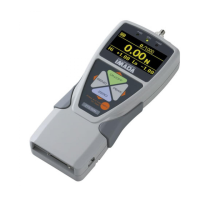
Standard Model Digital Force gauge ZTS series
1 / 8
2015/07/28
Standard Model Digital Force Gauge ZTS series
Feature 2 You can capture peak value precisely at high sampling.
It reduces missing load value due to high sampling speed (2000 data / sec.). Peak value can be accurately captured.
Breaking tests of the same sample
*Depending on sample or testing conditions, you may not get the same result.
With optional software, Force Recorder, you can make graphs of force versus time.
For further information, go to “Related products” on page 5
Feature 1 Clear display / Easy setting
- Clear organic display has excellent
readability and reduces misreading.
- Setting menu with multiple languages helps
easy operation.
Feature 1 Clear display / Easy setting.
Feature 2 You can capture peak value precisely due to high sampling.
Feature 3 Easy data management on PC with included software, ZT-Logger.
Feature 4 Various functions to improve usability in different environment.
Included Software ZT-Logger
Sampling speed: 2000Hz
->High repeatability
Data measured at 100Hz
Ave. of peak: 29.92N
Values vary. Ave. is lower.
*Higher range of 2500N is different in shape
Press peak button
once, so that it
holds peak value.
Data measured at 2000Hz
Ave. of peak:33.2N
Sampling speed: 100Hz
->Dispersion of the measured data


 To Next Page