Need help?
Do you have a question about the IME CONTO D2 and is the answer not in the manual?
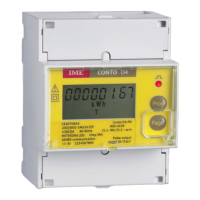
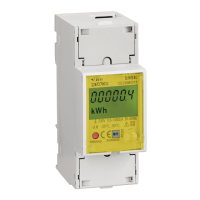
Shows KWH meter specifications.
LCD, 6 digits, displays measurements.
Blinking frequency proportional to counted active energy.
Used to program meter and scroll display pages.
Physical points for housing and terminals.
Sets the access password for programming the meter.
Configures RS485 communication parameters.
Configures pulse output for energy measurement.
Configures the run hour meter function.
Confirms or changes programming access password.
Sets the access password for programming.
Configures RS485 communication settings.
Configures pulse weight and width.
Sets the active power threshold for counting.
Confirms or changes programming password.
Selectable pulse weights: 1Wh to 1kWh.
Selectable pulse widths: 100ms to 500ms.
Threshold to start counting: 0.4% to 50% Pn.
Mode for resetting the run hour meter count.
Confirm or modify programming access password (1000-9000).
Indicates unreliable read value or energy backup issue.
Indicates an error related to setup parameter configuration.
Indicates an error with metrological or calibration constants.
 General
| Brand | IME |
|---|---|
| Model | CONTO D2 |
| Category | Measuring Instruments |
| Language | English |

 To Next Page