Page 33 of 46
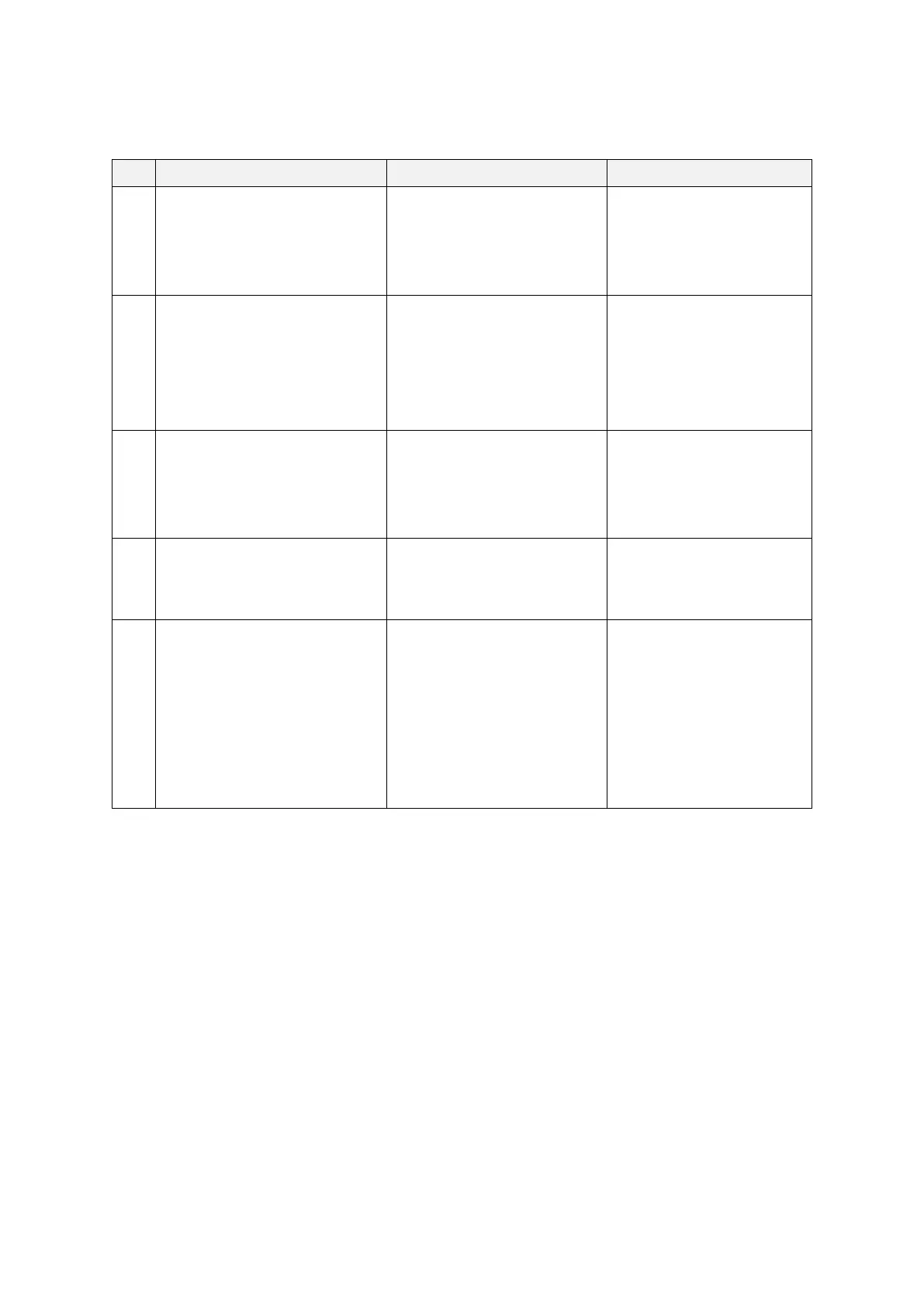
5.7 System message list
The remaining battery is low.
Please restart after recharging
the device.
When the battery charging
of iSyncWave(HardWare)
is less than 10%
A user is recommended
to charge the
iSyncWave hardware
before use of the device
The connection with
iSyncWave has been lost.
Do you wish to reconnect?
When bluetooth connection
of iSyncWave(HardWare)
with a tablet is lost
A user is recommended
to bluetooth connect
iSyncWave hardware with
a tablet on the iSyncWave
app
You have failed to upload.
Please try again after
checking your WI-FI
connection
When upload of the
Measured Data failed after a
recording
A user is recommended
to Wi-Fi connect with a
tablet on the iSyncWave
app
Update is required. Switch
screen to update page?
When update version of
iSyncWave application is
released
A user is recommended
to update iSyncWave
app on Google app store.
The countries that are in
reach of our automatic noise
filtering service could enable
the following function by
turning on the GPS.
Therefore, it doesn't require
any additional adjustment.
When iSyncWave app try to
find an appropriate line
noise filter
The line noise filter is
automatically set using
GPS information. No
action required.
5.8 Installing and Using the Battery
1. The battery life depends on how often the device is used, charge/discharge cycle, storage
condition and operating temperature.
2. After being fully discharged, it takes up to 3 hours in room temperature to fully charge. The
battery run time depends on how much battery is consumed. Given that the battery is fully
charged, you can measure EEG for 6~7 hours. The battery is designed to last 250
charge/discharge cycles. If a slowdown in battery performance is observed, replace the battery
by contacting the manufacturer or service center.
3. The battery is charged when you connect the USB-C charging cable with the device. When the
device is in use, the battery will not charge. The LED indicator on the power button will be
green when the device is charged more than 95% and magenta when charged less than 95%.


 To Next Page