Blacktip II - User Manual
IMENCO AS Visiting Address: Kophaug 3, 5570 Aksdal, Norway Office: +47 52 86 41 00 imenco@imenco.com
Org No: 923 005 749 MVA Postal Address: PO. Box 2143, 5504 Haugesund, Norway Fax: +47 52 86 41 01 www.imenco.com
8
3.4 Electrical installation
IMPORTANT!
• Installation of this product should only be performed by qualified personnel.
• Verify that the connector pin assignments match with the system where the
camera is being installed. Mind the connector pin numbers and wire colours as
necessary.
• Do not connect/disconnect the subsea connector when the power is ON.
3.4.1 Camera subsea connector
The Blacktip camera can be supplied with various connector configurations. Please refer
to supplied QC for your specific camera.
4 Operational Instructions
4.1 Hazards and protective measures
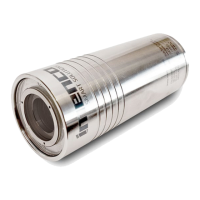
The Blacktip II Camera does not generate or use dangerous high electrical voltages. The
camera is filled with inert gas at atmospheric pressure. Follow the safety information at
the beginning of this manual.
4.2 Over-temperature precautions
The camera is designed for operation in water that will absorb the heat generated by
the camera. Imenco acknowledges that the camera must be checked on deck before
operation as well as tested and demonstrated in house, but the conditions when
operating the camera in air may not provide sufficient cooling. Remember that sunlight
and/or high outside temperature will add significant heat to the camera.
4.3 Camera Control
The Blacktip II Camera is designed to be controlled by means of different protocols:
The control pins are electrically isolated from the internal electronics.
4.3.1 RS232 Control (RS485 optional).
Basic camera functions like Zoom, Focus and White balance can be controlled by the
Imenco serialCommander software supplied with the camera. See separate user manual
for this product.
Full control and access to all camera module settings can be done in the Visca Control
software supplied with the camera.


 To Next Page