Introduction
1 2
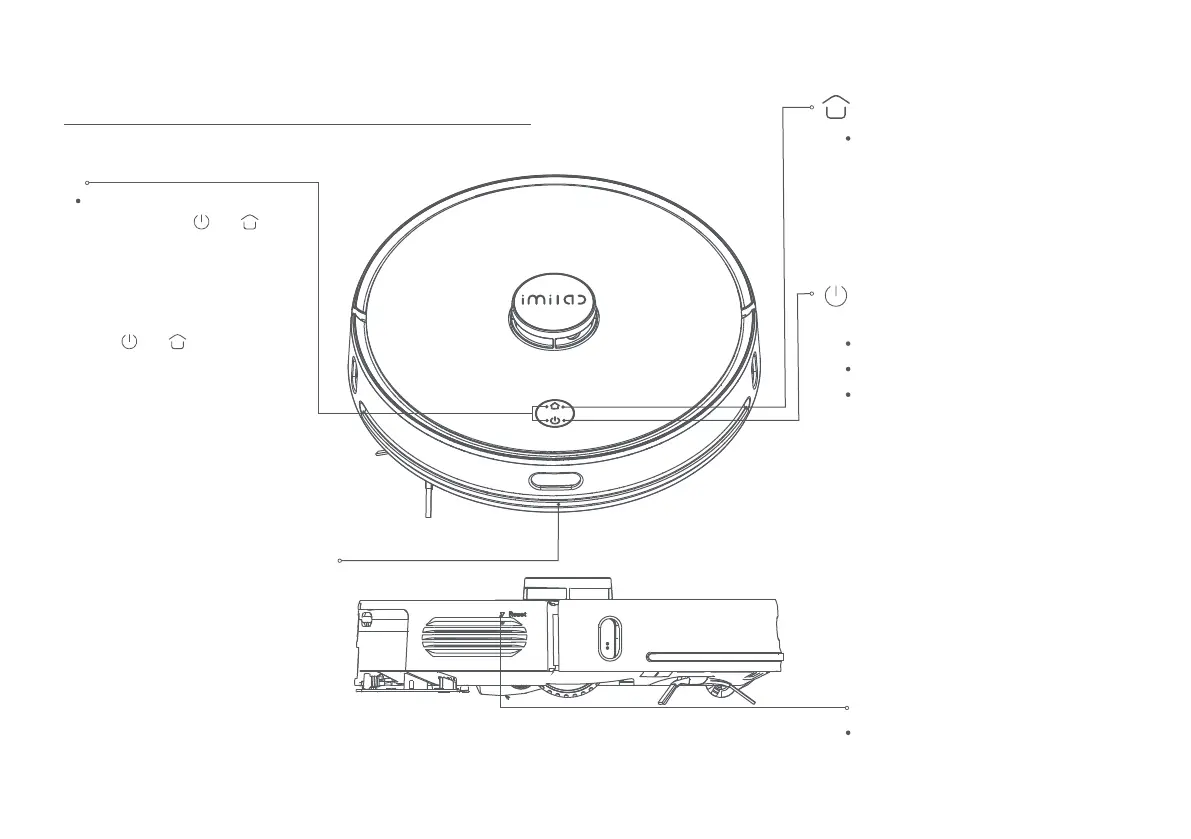
Smart recharge
Short press the button to activate smart
recharge.
Slow flashing yellow light indicates that the
product is recharging or the battery is
running low.
The blue breathing light indicates that the
product is in charging.
Reset button:
Short press (less than 3 seconds) to force
shut down the product
Power on/o
or Whole map cleaning
Infrared receiving sensor
Short press to start/pause cleaning.
Press and hold for 3 seconds to power on/o.
The solid blue light indicates that network
connection is successful/product is working
normally/in standby. The blue breathing
light indicates that the product is being
powered on.
Slow flashing blue light indicates that the
firmware is being updated/restoring to
factory settings.
Flashing blue light indicates that network
is being connected.
The red breathing light indicates that the
battery is low.
Flashing red light indicates abnormal status.
Light o indicates that the product is
powered o/in sleep mode.
Network settings
While the product is powered on,
press and hold the and buttons
together for 5 seconds. After hearing
“Entering network settings” voice,
release the buttons to enter the
Network settings.
While the product is powered on,
press and hold the buttons
together for 10 seconds. After hearing
“Factory settings will be restored”
voice, continue to hold the buttons for
another 10 seconds to restore the
product to factory settings.



 To Next Page