5 6
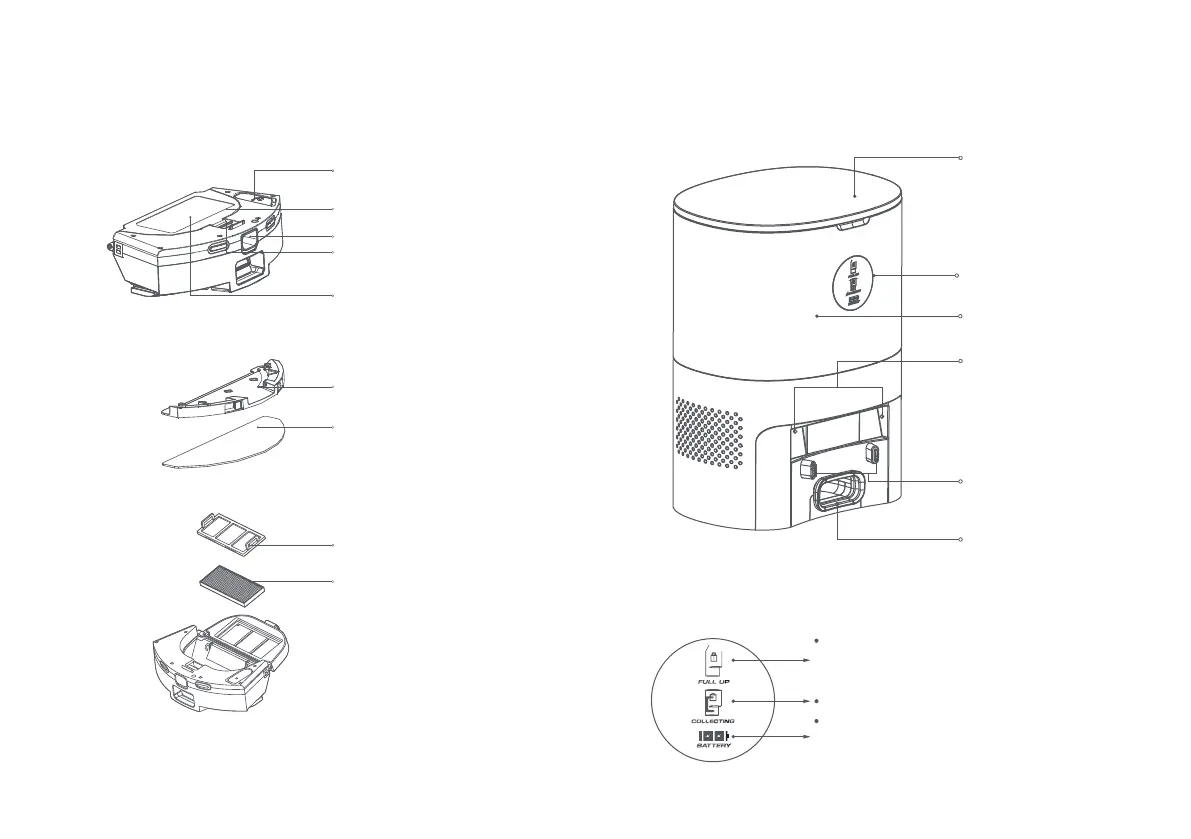
Water inlet
Water tank
Dust box
Dust box release button
Dust box catch
Mop cloth holder
Mop cloth
Filter cover
Filter
2-In-1 water tank
Dust collection dock
(dust collection and charging 2-in-1)
Cover
Open the cover to put
in/take out dust bag
Indicator light
Dust bag chamber
Infrared lens
Charging and dust
collection sensor head,
dust collection sensors
The light will shine brightly when the dust bag is full.
The light will flash if the dust bag is not installed
correctly.
The light will flash brightly during dust collection.
When the battery is fully charged, two green bars will
be shown. When the battery is at 50% or lower, one
green bar will be shown.
Dust inlet
The dust in the product
will be transferred to
the dust bag via the
dust inlet



 To Next Page