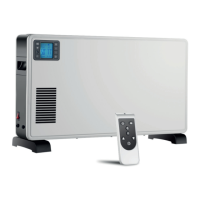
The Immax NEO Smart Radiator Actuator Zigbee is an intelligent device designed to regulate room temperature and enhance energy efficiency in your home. This radiator actuator integrates seamlessly into a smart home ecosystem, allowing for remote control and automated temperature management through a dedicated mobile application.
Function Description
The primary function of the Immax NEO Smart Radiator Actuator is to control the flow of hot water through your radiator, thereby adjusting the room temperature. It operates in various modes to suit different user needs and schedules.
- Auto Mode: This mode allows you to set predefined temperature schedules for different times of the day and days of the week. For instance, you can program the actuator to maintain a comfortable temperature during waking hours and a lower, energy-saving temperature when you are away or asleep. The device supports flexible scheduling, including options for 5+2 days, 6+1 days, or 7-day programming, giving you granular control over your heating plan.
- Manual Mode: In this mode, you can manually set the desired temperature directly on the device or through the app, overriding any programmed schedules. This is useful for temporary adjustments when your routine changes or if you need a quick boost of heat.
- Energy Saving Mode: This mode is designed to optimize energy consumption by maintaining a lower, yet still comfortable, temperature. It's ideal for periods when you want to reduce heating costs without completely turning off the heat.
- Boost Mode: When you need a rapid increase in room temperature, Boost Mode can be activated. This function typically opens the valve fully for a set period, quickly heating the room. After the boost period, the device returns to its previous operating mode.
- Holiday Mode: This feature allows you to set a specific temperature for an extended period, such as when you are away on vacation. It prevents the pipes from freezing and ensures a comfortable temperature upon your return, all while minimizing energy waste.
- Open Window Function: The actuator can detect sudden drops in temperature, indicative of an open window, and temporarily turn off the heating to prevent energy loss. This intelligent feature helps conserve energy by avoiding unnecessary heating of outdoor air. This function can be enabled or disabled as per user preference.
- PID Control / ON/OFF Control: The device offers two control types for the valve: PID (Proportional-Integral-Derivative) and ON/OFF. PID control uses an algorithm to continuously adjust the valve opening based on the difference between the set temperature and the actual room temperature, aiming for precise and stable temperature regulation. ON/OFF control, on the other hand, opens or closes the valve based on specific temperature thresholds, providing a simpler control mechanism. For example, if the room temperature is significantly below the set temperature, the valve will open fully; if it's close to or above the set temperature, the valve will close or open partially.
- Automatic Lock: To prevent accidental changes to settings, the device can be configured to automatically lock its keys if there is no operation for a specified period. This is particularly useful in households with children.
- Valve Seal Type: The actuator supports both soft seal and hard seal valve types, ensuring compatibility with various radiator valves.
Usage Features
The Immax NEO Smart Radiator Actuator is designed for user-friendly operation, both directly on the device and through the "Immax NEO PRO" mobile application.
- On-Device Controls: The actuator features a display and several buttons for direct interaction.
- Rotation Knob: This knob is used to adjust values, such as setting the temperature or navigating through menu options. Turning it clockwise increases the value, while counter-clockwise decreases it.
- SET Button: A short press of the SET button is used to confirm selections or enter advanced settings. A long press can initiate specific functions like locking/unlocking keys or starting Boost Mode.
- Other Buttons: Dedicated buttons allow for quick switching between manual and auto modes, comfort and energy-saving modes, and accessing advanced settings.
- Time Setting: You can set the current time and day of the week directly on the device. This is crucial for the accurate execution of programmed schedules. The process involves navigating through hour, minute, and week settings using the rotation knob and confirmation button.
- Advanced Settings: A range of advanced options can be accessed by long-pressing specific buttons. These settings include:
- Temperature Correction: If there's a discrepancy between the actuator's measured temperature and the actual room temperature, you can calibrate it by adjusting the correction value.
- Open Window Function Configuration: Enable or disable the open window detection and set its running time.
- Minimum and Maximum Temperature Limits: Define the lowest and highest temperatures that can be set, preventing extreme temperature settings.
- BOOST Mode Running Time: Customize the duration of the Boost Mode.
- Start/Stop Working Temperature Difference: Adjust the temperature differential at which the valve starts or stops working.
- Control Type of Valve: Switch between PID and ON/OFF control methods.
- Reset Function: Reset the device to its factory default settings.
- Zigbee Connectivity: The actuator uses Zigbee protocol for communication, allowing it to connect to a Zigbee gateway. This enables remote control and integration with other smart home devices via the "Immax NEO PRO" app. The app provides a comprehensive interface for managing schedules, monitoring temperatures, and adjusting settings from anywhere.
- System Self-Check: Upon power-on or when initiated manually, the device performs a self-check to ensure all components are functioning correctly. It displays diagnostic codes (e.g., "Ad" for self-check, "1" and "2" for self-check steps, "E1" for motor fault, "E2" for sensor fault) to inform the user of its status or any detected issues.
Maintenance Features
Proper maintenance ensures the longevity and optimal performance of your Immax NEO Smart Radiator Actuator.
- Battery Management: The device is powered by AA alkaline batteries. It features a low battery indicator (flashing slow low battery icon) to alert you when the batteries need replacement. It is recommended to replace all batteries simultaneously and use non-rechargeable alkaline batteries for best performance. Always follow the battery manufacturer's instructions for proper handling and disposal.
- Cleaning: To keep the device in good condition, protect it from contamination and soiling. Wipe the device with a soft, dry cloth. Avoid using rough or coarse materials, as well as solvents or other aggressive cleaners and chemicals, which could damage the device's surface or internal components.
- Installation and Safety: The device should be installed according to valid regulations by an individual with appropriate certification in the field of Electronics. Ensure that the power cable (if applicable) is disconnected during installation or fault detection. Do not disassemble the product, as this may lead to electric shock. Use only the original power adapter provided with the product, and do not operate the device if the power cord shows signs of damage.
- Disposal: The product and its batteries should be disposed of at a recycling center, not with normal household waste, to promote environmental responsibility.
By understanding these functions, usage features, and maintenance guidelines, you can effectively utilize your Immax NEO Smart Radiator Actuator to create a comfortable, energy-efficient, and intelligently controlled heating environment in your home.

 Need help?
 General

 To Next Page