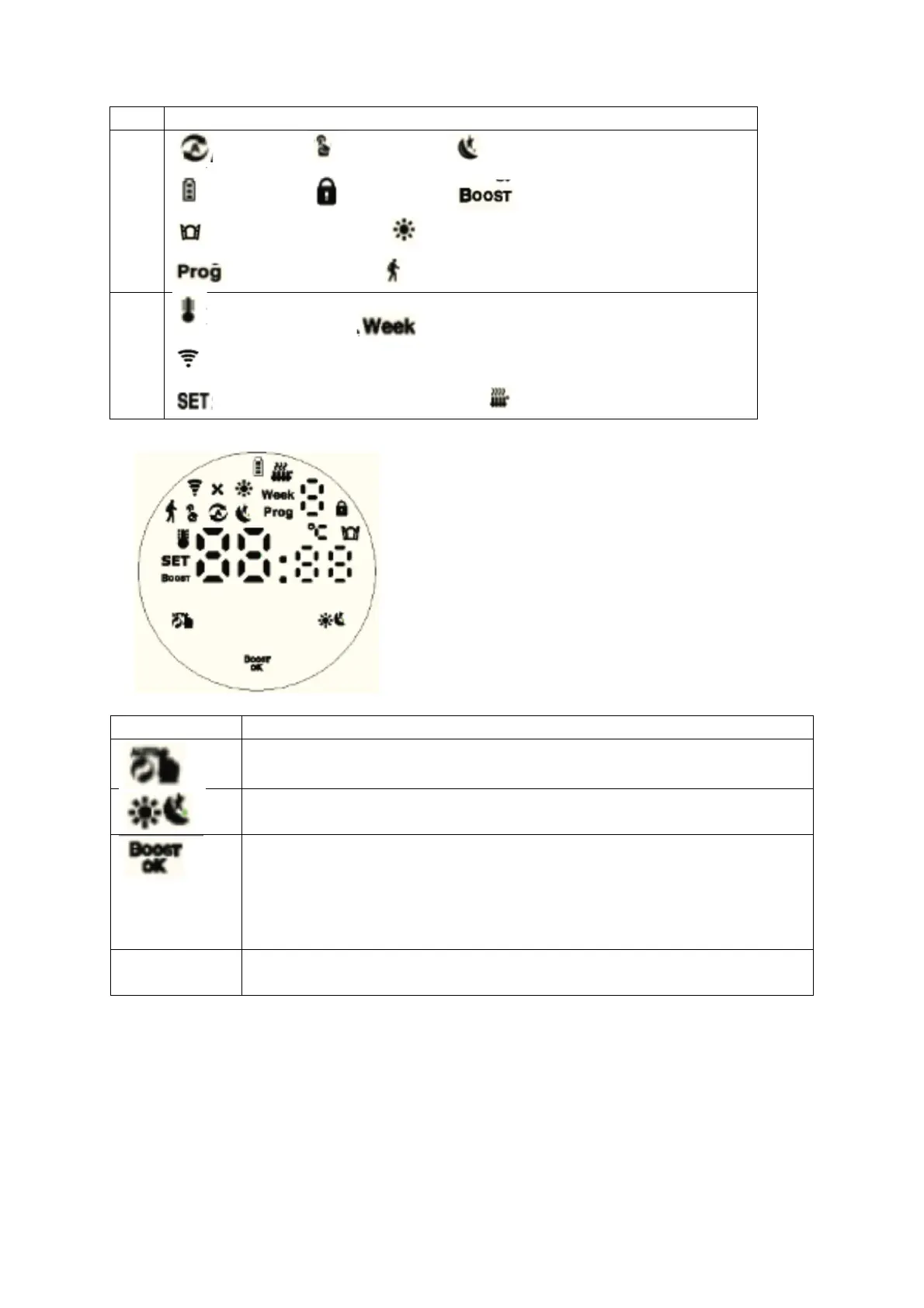
Auto Mode; Manual mode Energy saving mode
Low battery; Children lock; Boost mode;
Open Window function Comfort mode
Auto mode period Holiday mode
Room temperature Time setting
Zigbee connection status
Set temperature/Advanced options Valve status
1.Short press to switch manual mode and auto mode
2.Long press to enter advanced setting
1.Short press to switch between comfort mode and energy saving mode
2.Long press for 3 seconds to view valve open status
1.Long press 3 seconds to start the BOOST function; turn on the BOOST
fast heating mode, short press any key during operation to exit this
function and return to the previous mode
2.When setting other functions, short press is the confirmation
3.Long press for 3 seconds to lock/unlock keys
1.Clockwise, the value increases
2.Counterclockwise, the value decreases


 To Next Page