SPECIAL FUNCTION DESCRIPTION
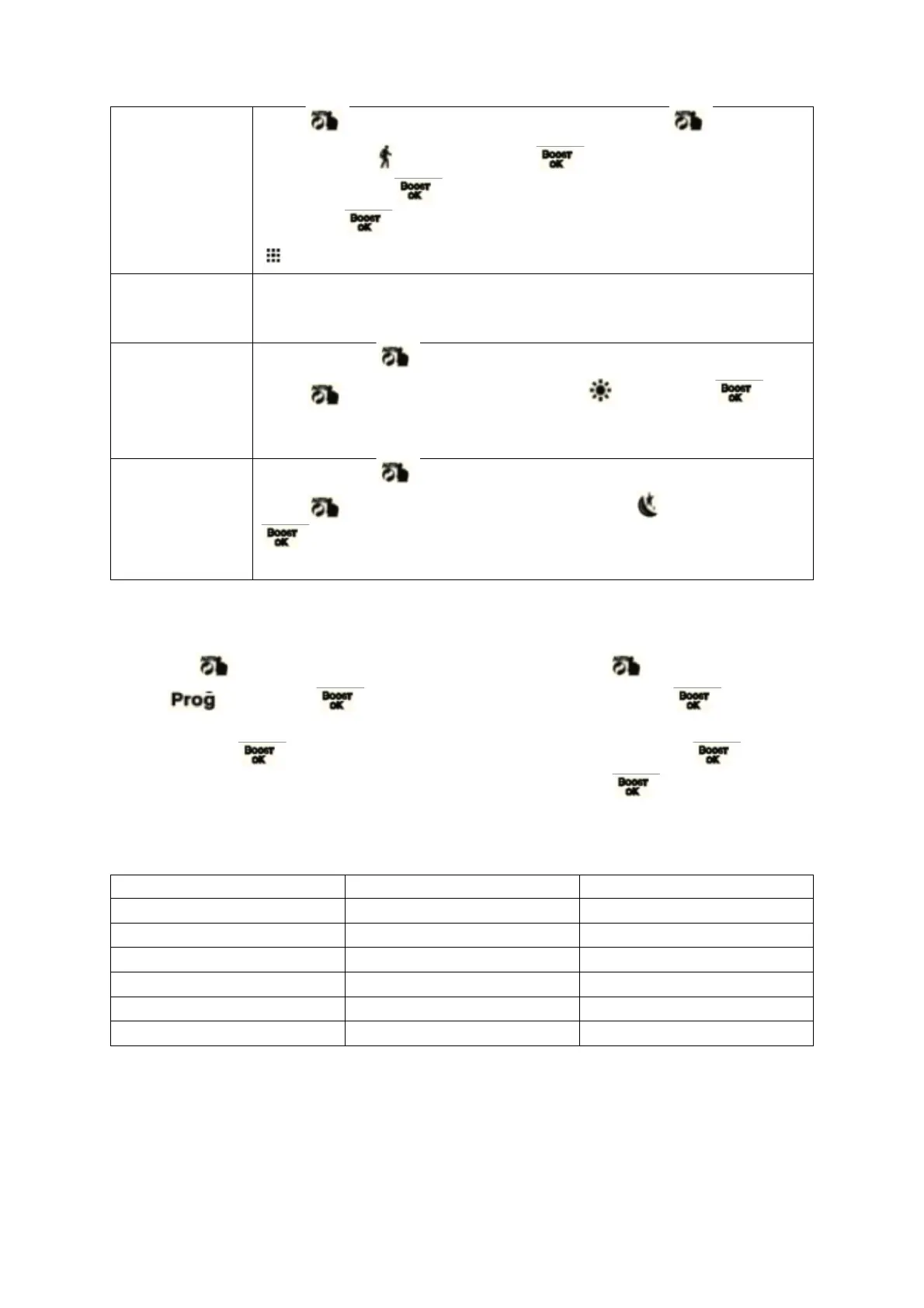
Press 3s access to advanced setting, short press to choose
holiday mode , then short press enter temperature setting,
again short press days setting, turn the rotation to adjust value,
then short enter holiday mode. Under holiday mode, short press
to exit holiday mode.
The actuator turns off the window opening function by default, if you
need to use it, you can turn it on in the advanced option 2 setting [reset
disable when changing the battery]
Press and hold for 3 seconds to enter the advanced setting, short
press to switch to the comfort mode , short press to
enter the comfort mode parameter setting, turn the rotation to adjust
value
Press and hold for 3 seconds to enter the advanced setting, short
press to switch to the energy saving mode , short press
to enter the energy saving mode parameter setting, turn the
rotation to adjust value
AUTO MODE SETTING
Long press about 3s access to advanced setting, short press switch to auto mode
setting short press access to auto mode setting, short press to choose
which item you want. First set the auto mode to 5 means: 5=5+2 days, 6=6+1 days, 7= 7
days, after press to access to hour or minute setting, short press again access to
temperature setting, turn the rotation to adjust value, short press choose: hour,
minute, time period, and turn the rotation to adjust value, finished setting, about 10 seconds
will automatically save and exit.


 To Next Page