18
6.2 Automatic functioning.
e CRONO 7 allows automatic functioning, in which a
time program manages the room temperature during the
hours of the day.
e desired room temperature can be adjusted onto two
independent levels: comfort (
) and economy ( ) via the
button, whose distribution throughout the day or the
week is managed by hourly programming.
Press the
button until the icon switches-on on
the display.
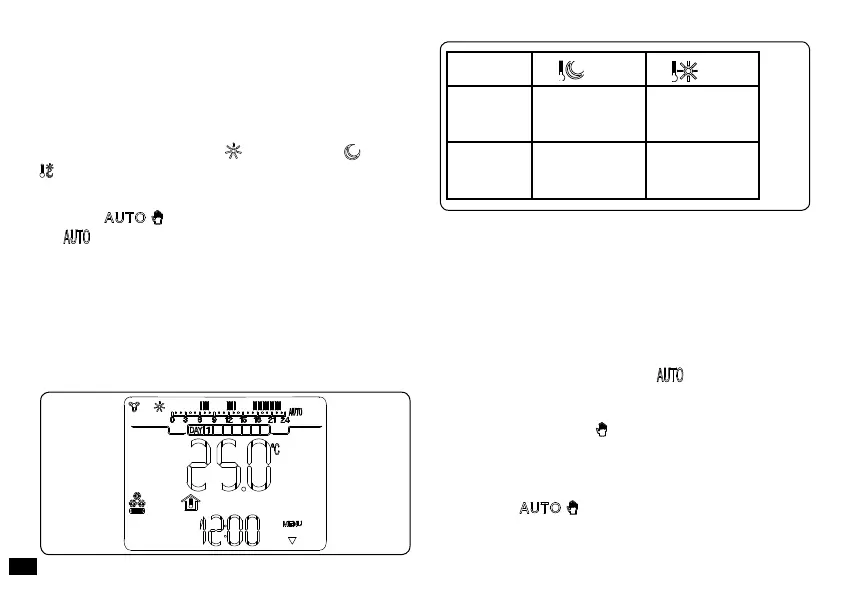
e CRONO 7 is factory-set with a standard program stated
in the table that follows. If this should not satisfy require-
ments, it is possible to modify it as described in the chapter
relative to programming.
Note: the system is designed to function on comfort and
economy temperature levels depending on the hour pro-
gram set. erefore also during functioning in economy
temperature conditions, if the room temperature measured
is above that set, the chiller can switch-on.
6.3 Forced automatic functioning.
If in automatic functioning mode (
) the room tempera-
ture is modied by pressing the + / - buttons, the forced
automatic functioning mode is activated (displayed by the
switch-on of the ashing symbol). In this mode, the room
temperature will be regulated to the value set until the next
switch-on or switch-o phase of the automatic program set.
e forced automatic function can be interrupted by simply
pressing the button.
Days
40°C
25°C
Mon - Fri
(Day 1 - 5)
from 23 to 11
from 13 to 17
from 11 to 13
from 17 to 23
Sat - Sun
(Day 6 -7)
from 23 to 13
from 13 to 23
Fig. 18
Fig. 17



 To Next Page