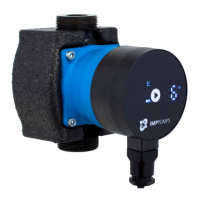
2. Pump settings (web page PUMP) is meant to provide regulation and control (input and output) settings. It
has control over:
• Operation mode
• Head limit(depending on pump mode)
• RPM limit (depending on pump mode),
• Ratio between head and flow HQ (depending on pump mode)
• Input/output control.
• Relay control.
Setting can be saved to permanent memory by pressing the SAVE button.
3. Network settings (web page NETWORK) provide a way to change network configuration:
• NetBIOS name - is a local network name service. Instead of ‘192.168.0.245’ you can for example use
'http://nmtpump'. Default: nmtpump,
• Pump IP address - is a pump network address. The pump is seen as http server on this address,
default: 192.168.0.245,
• DHCP server - provides lease for "point to point" connection (cross-over cable to computer for
example). Will disable itself if another DHCP server is found,
• DHCP client will automatically acquire DHCP address from the network,
• Default gateway – provides connection route to larger networks. This is usually a router address,
default: 192.168.0.1,
• Subnet mask - sets subnet address range that is on the same subnet and can be reached directly. The
rest of communication goes over the gateway, default: 255.255.255.0,
• Twin mode with IP - will connect two pumps for alternating operation. When two pumps are
configured for twin mode, they will switch about once per day. Setting this field to inexistent IP will
disable this option! Set it so the first pump references the second and vice versa. Default:
192.168.0.246.
Setting can be saved to permanent memory by pressing the SAVE button.
4. Log (web page LOG) displays possible previous and current errors.
5. MORE (web page MORE) has link to additional manuals and tools that might be available. Has an option to
update NMTC modules software, by user inputted software file (available at your local serviceman or our
webpage).


 To Next Page