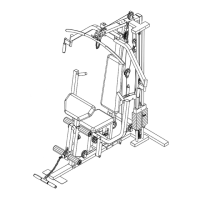
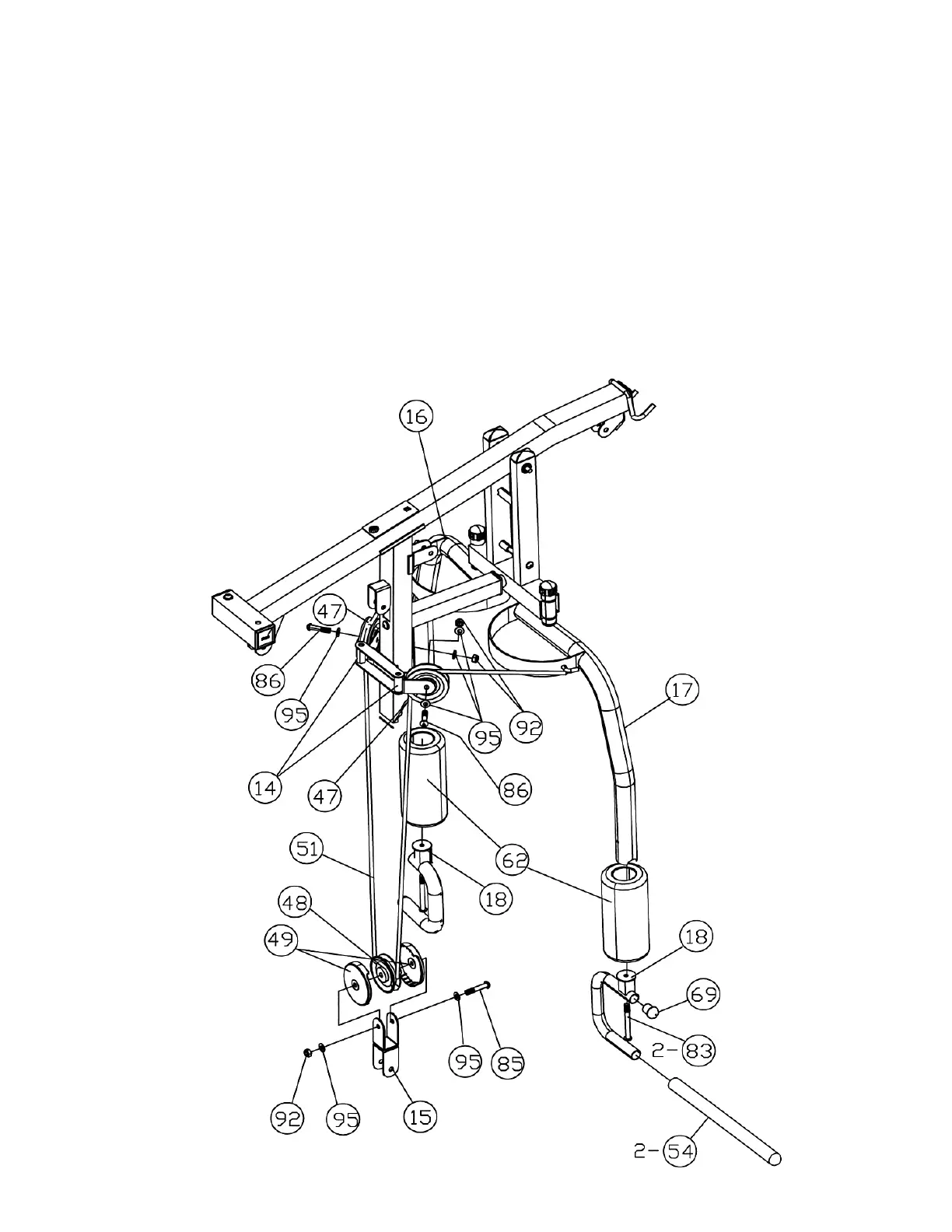
STEP 5 (See Diagram 5 & Cable Loop Diagram)
A.) Attach one end of the 105” Butterfly Cable (#51) to the hook on the Right Butterfly (#17).
B.) Draw the Cable to the right Swivel Pulley Bracket (#14).
C.) Attach a Pulley to the bracket. Secure it with one M10 x 1 ¾” Allen Bolt (#86), two Ø ¾”
Washers (#95), and one M10 Aircraft Nut (#92).
D.) Draw the Cable around the Pulley then downward. Attach the Cable to a Crossed Double
Floating Pulley Bracket (#15).
E.) Repeat Procedure G&H in Step-4 to install a Small Pulley (#48) to the Bracket. Let the
Bracket hanging for now.
F.) Pull the Cable around the Pulley then upward to the left Swivel Pulley Bracket. Repeat
Procedure C above to install a Pulley.
G.) Draw the Cable to the Left Butterfly (#16). Attach the end to the hook on the Left Butterfly.
H.) Push two Large Vinyl Foam Rolls (#62) onto the Left and Right Butterflies (#16 & #17).
I.) Attach two Front Press Handles (#18) to the Butterfly Arms (#16 & #17). Secure each Handle
with one M10 x 3 ½” Allen Bolt (#83).
16


 To Next Page
 Loading...