Speedway Revolution Installation and Operations Guide
9 Copyright © 2009, Impinj, Inc.
The details of completing each connection option are discussed below. Before proceeding,
however, take note of the reader’s factory default network settings:
To connect Speedway/R to the Ethernet network:
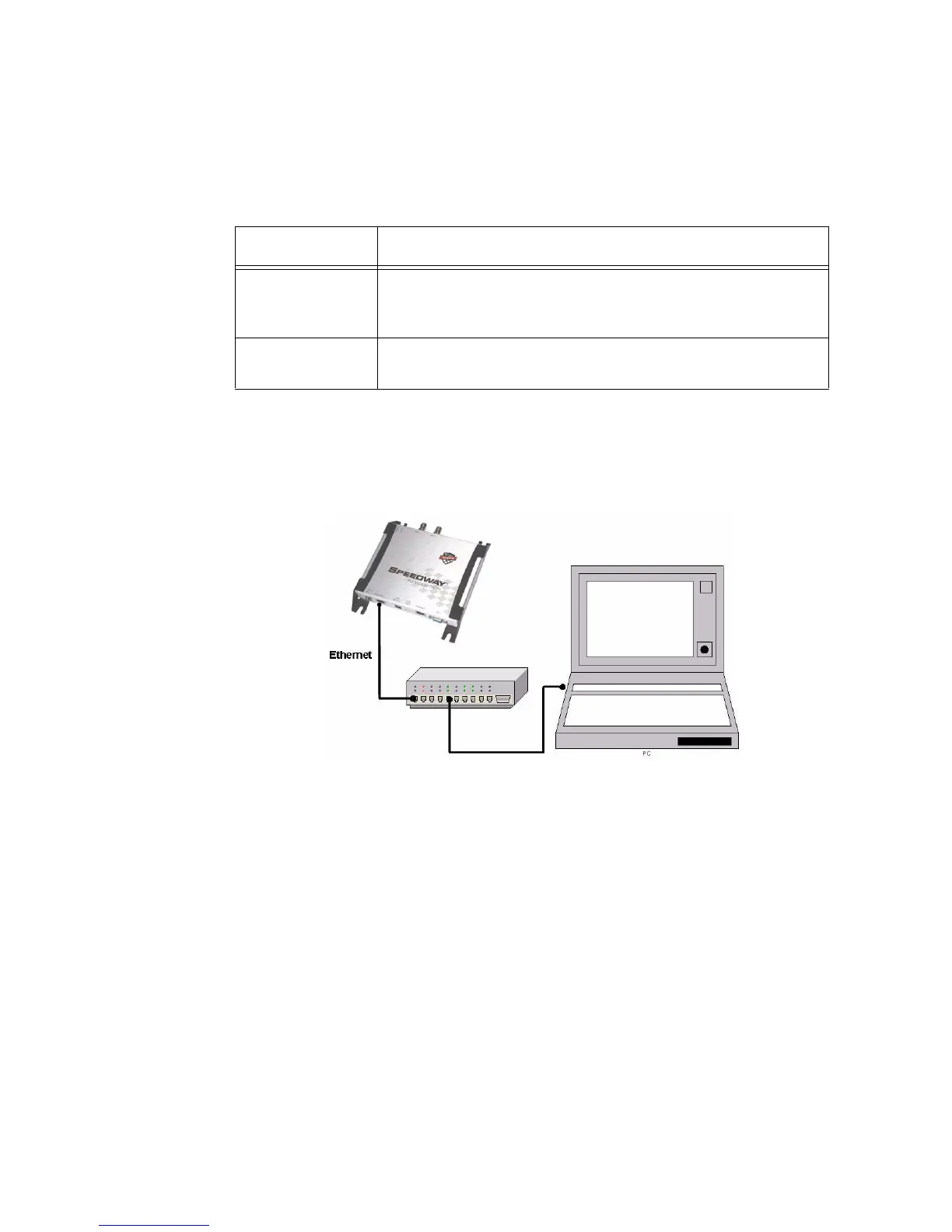
• Using a standard Ethernet cable, connect the RJ-45 connector on the reader to a LAN
drop or network switch. A typical network configuration is illustrated below:
If your network switch is PoE-enabled, the reader will power on when you connect it
to the network. See “Step 4: Power the Reader” on page 11 for information on what to
expect.
Note:
If you need to connect a PC directly to the Ethernet port, you can use a standard Ether-
net cable. A crossover cable is not necessary.
Table 3: Default Network Settings
Setting Description
hostname Speedway-XX-XX-XX where XX-XX-XX is the last three
bytes of the reader’s MAC address (which is printed on the ver-
sion label attached to the reader enclosure)
DHCP Enabled. The reader also reports its hostname to the DHCP
server.


 To Next Page