NanoPhotometer
®
P-Class User Manual
Version 2.1 Page 40 / 70
NanoPhotometer
®
P 300
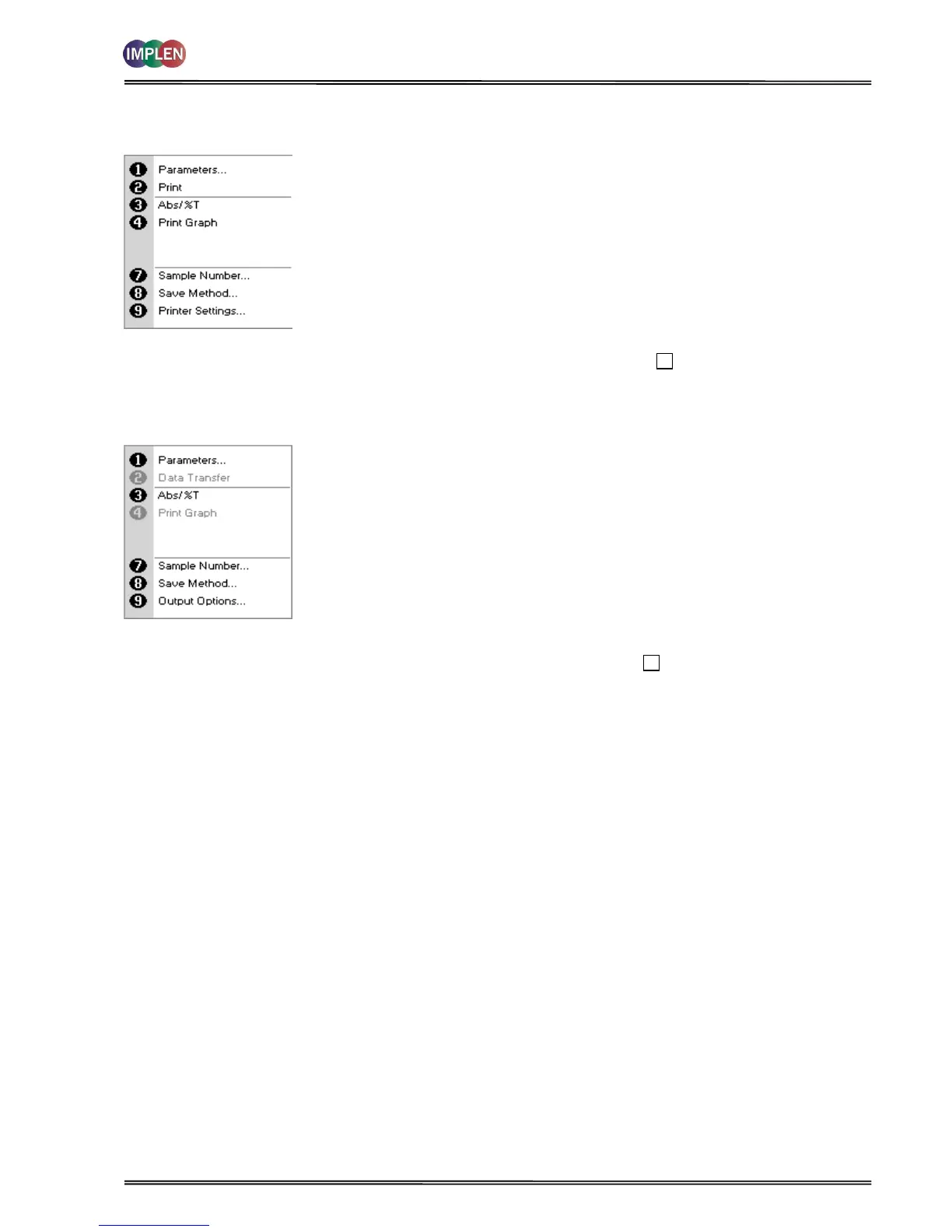
Options (select using key pad numbers)
NanoPhotometer
®
P 330 /P 360
Menu (select using key pad numbers)
Options (select using key pad numbers)
1) Return to parameters screen.
2) Print result via selected method.
3) Toggle between Absorbance and %T mode.
4) Print graph – greyed out if no data are available.
7) Sample number – add a prefix to the sample number and
reset the incrementing number to the desired value.
8) Save method – use the left and right arrows to select a folder
to store in (User Methods 1-9), press the down arrow and enter
name.
9) Open printer settings, possibility to change the printer settings
within the method as described in 7.3 Output Options / Printer
Exit Options by pressing Escape , or wait.
Menu (select using key pad numbers)
1) Return to parameters screen.
2) Transfer the results via selected Output Options.
3) Toggle between Absorbance and %T mode.
4) Print graph – greyed out if no data are available.
7) Sample number – add a prefix to the sample number and
reset the incrementing number to the desired value.
8) Save method – use the left and right arrows to select a folder
to store in (User Methods 1-9), press the down arrow and enter
name.
9) Open Output Options settings, possibility to change the Output
settings within the method as described in 7.3 Output Options
/ Printer.
Exit Menu by pressing Escape , or wait.



 To Next Page