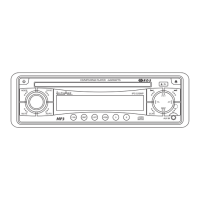
PAIRING MODE (2)
When press the SEL button for more than 2 seconds, it is activated as selecting mode of these func-
tion. (Please refer to HOW TO PERFORM PAIRING on page 10)
4. PRESET STATIONS (1,2,3,4,5,6)
(A) RADIO MODE:
When pressed momentarily, these keys select a preset station directly. When pressed longer than 1
sec., current station is stored in preset memory bank. When PTY mode is selected, the PTY switch
is shared as follows:
PTY music group ---- PTY speech group ---- OFF
MUSIC SPEECH
1. POP M, ROCK M 1. NEWS, AFFAIRS, INFO
2. EASY M, LIGHT M 2. SPORT, EDUCATE, DRAMA
3. CLASSICS, OTHER M 3. CULTURE, SCIENCE, VARIED
4. JAZZ, COUNTRY 4. WEATHER, FINANCE, CHILDREN
5. NATION M, OLDIES 5. SOCIAL, RELIGION, PHONE IN
6. FOLK M 6. TRAVEL, LEISURE, DOCUMENT
(B) CD/MP3/WMA PLAYER MODE:
1. PAUSE 2. INT 3. RPT 4. RDM
USING THE RDS FUNCTION
What is RDS?
The RDS (Radio Data System) is a digital information system developed by the EBU (European Broad-
cast Union). Piggy-backed on normal FM broadcasts, RDS offers a variety of information services and
automatic retuning functions for RDS-compatible car stereos.
In 1988, RDS became available in the United Kingdom, France, West Germany, Ireland and Sweden.
Test transmissions are being conducted in many other European countries. It is expected that RDS will
be available in most western European countries in the near future.
5. ‘AF/REG’ function (ALTERNATIVE FREQUENCIES)
When pressed momentarily, AF/REG switching mode is selected.
When AF/REG switching mode is selected, the radio checks the signal strength of the AF all the time.
When pressed long, it is activated as regional mode ON/OFF.
– Regional mode ON:
AF switching or PI SEEK is implemented to the station which have all PI codes same as current
station. REG segment is turned on in LCD display.
– Regional mode OFF
The regional code in the format of PI code is ignored when AF switching or PI SEEK is implemented.
6. ‘TA’ function (TRAFFIC ANNOUNCEMENT)
When pressed momentarily, it is activated as TA mode on or off
When TA mode is on and traffic announcement is transmitted
– When the unit is CD/MP3 mode, it will switch to radio mode temporarily.
– If the volume level was under the threshold point, it will be raised to the threshold point.
– When TP station is received, TP segment is turned on in LCD display.
7. ‘PTY’ function (PROGRAM TYPE)
PTY MUSIC ---- PTY SPEECH ---- PTY OFF
While selecting PTY type, its selection is implemented by preset buttons as described in preset key.
When PTY is selected, the radio starts to search corresponding PTY information, and stops if the
corresponding PTY information is detected.
8. DISPLAY (DISP)
When this key is pressed, it is operated as the conversion of each display mode as follow.
1) In case of receiving RDS station.
RADIO MODE
PS ---- CT ---- FREQ ---- PTY



 To Next Page
 Loading...