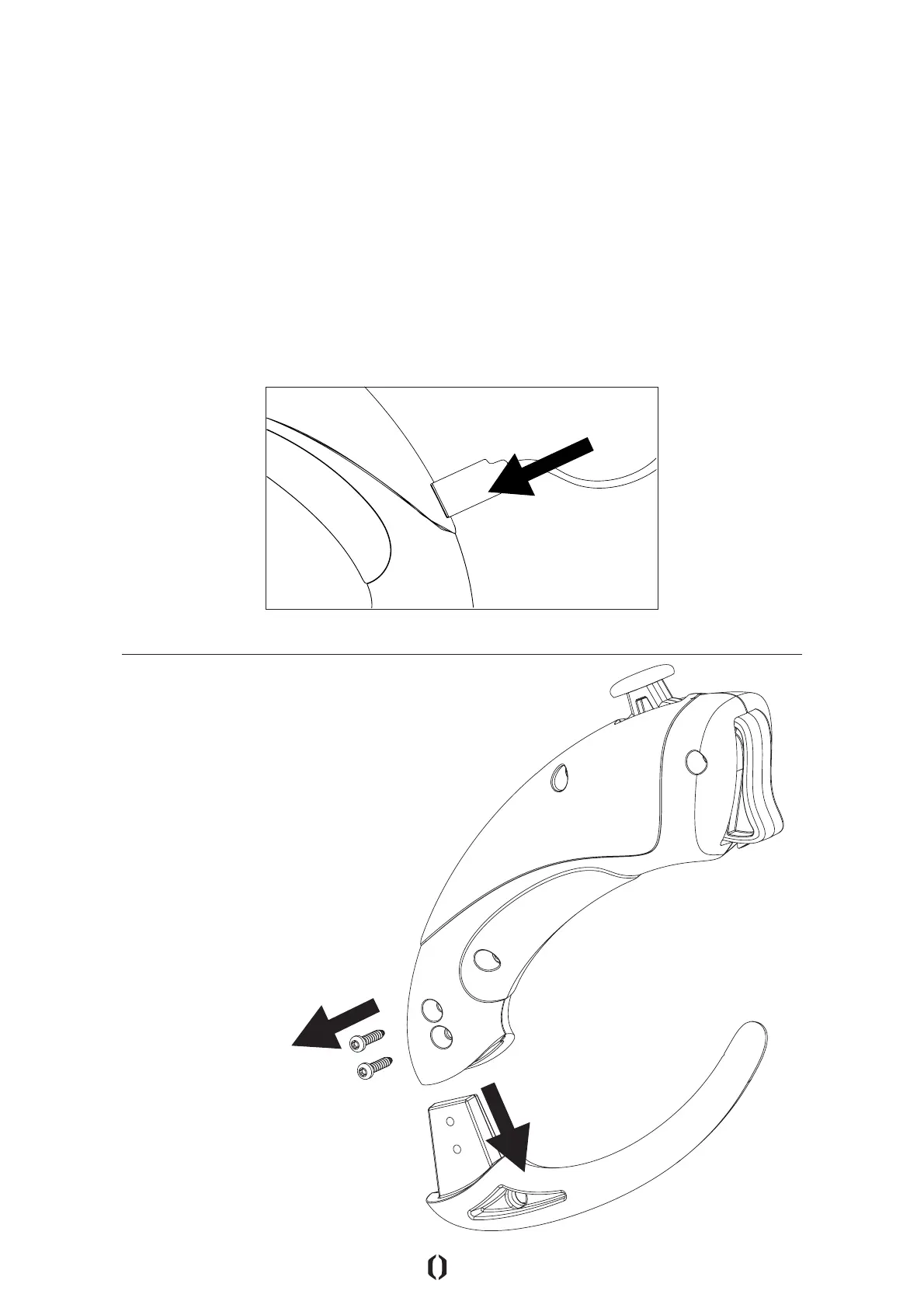
How to Remove RFLX Tail (Optional)
INSERT USB PORT
With a Torx T6 Screwdriver, remove the lower
2 screws and pull out tail. Store parts safely
in your RFLX Case.
CHARGING YOUR RFLX REMOTE
Step 1: Take the RFLX USB Charging cable and plug it into a USB port or USB
wall outlet adaptor (Not included).
Step 2: Gently attach the RFLX USB charging cables Male-end Mini-B USB
Port into the Female Mini-B USB Port on the RFLX Remote.
• The RFLX Remote will now start charging.
• The Green LED will slowly pulse to indicate it is charging.
• Once the RFLX Remote is fully charged the Green LED will stop pulsing
and glow constantly. (Full charge is reached in approximately 3 hours).
NOTE: A fully charged RFLX Remote oers approximately 12 hours of use.
| 14



 To Next Page