28 29
Question Answer
•
The touch screen does
not work well.
•
Calibrate the touchscreen under Settings of the Administrator Menu
‘23. Touchscreen Alignment’.
*
Press rmly to optimize touchscreen response.
•
How to connect with the
compatible devices.
•
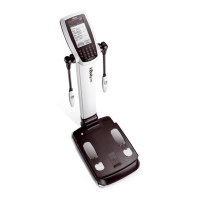
Please refer to "E. Connecting Compatible Devices" in "I. InBody
Installation" in this User's Manual.
•
InBody BAND is not
recognized.
•
Check whether other people's InBody BAND are near the hand electrodes.
•
If there are too many Bluetooth devices around, the connection may delay.
•
If InBody BAND is not properly connected, turn off or deactivate unused
Bluetooth devices to improve the recognition rate.
•
Fingerprint recognition
does not work well.
•
Fingerprint recognition may not work well if the subjects' nger prints are
worn out due to their working conditions/environment.
•
If the ngerprint is not recognized well, place the ngerprint to the same
location that was originally registered, or update the ngerprint information
with new one.



 To Next Page