38
2.5 Programming Notes:
If the Degrees Per Tap value is not known, the 1250-LTC can be used to determine
this value. Follow these steps to determine the Degrees Per Tap value:
1) Enter the Programming Menu and select OP 19 (Degrees Mode) and press the ENTER
key.
3) The 1250-LTC should read a number from 0.0 to 359.9 with 1 decimal place.
4) Move the LTC to as many taps as possible. Record each tap number and the
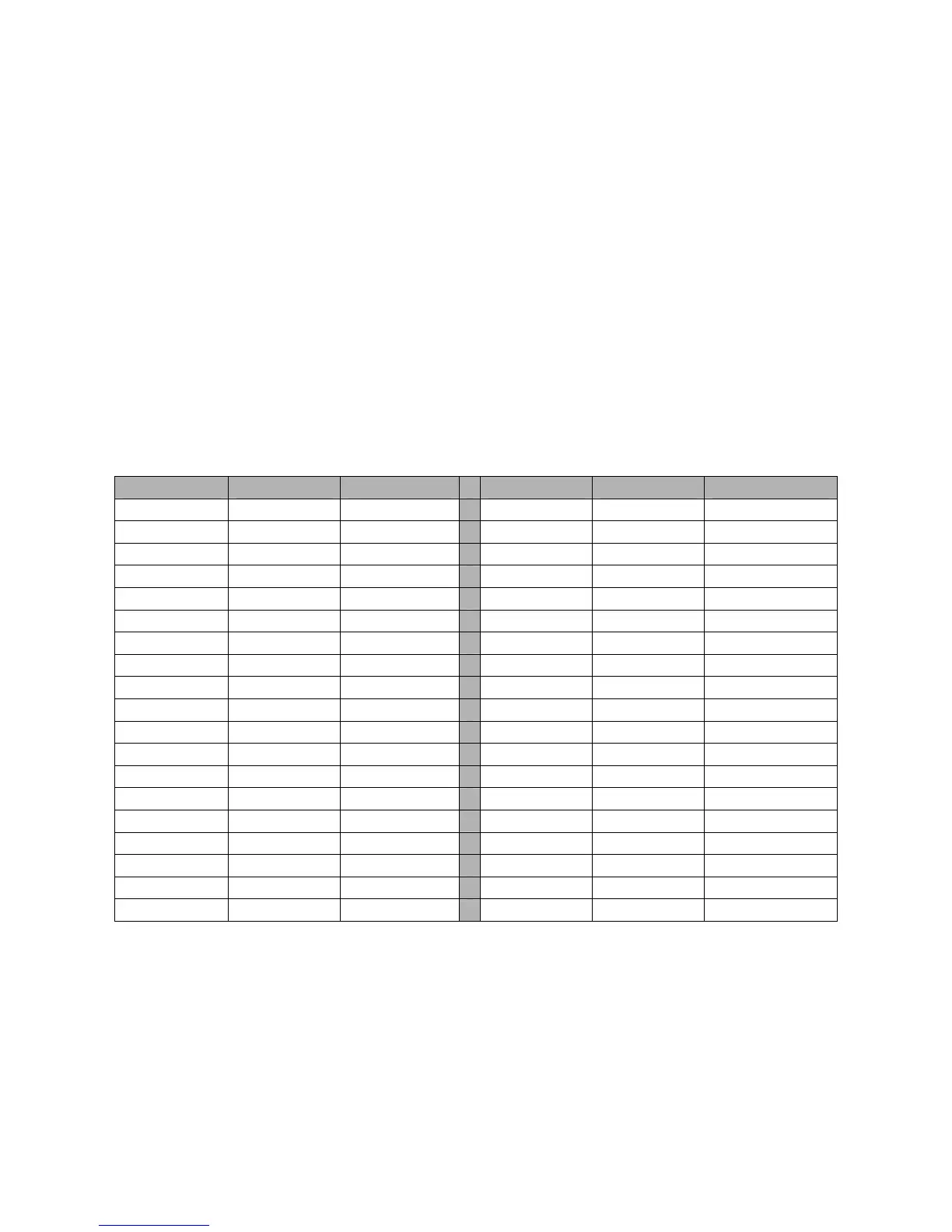
corresponding degree reading displayed on the 1250-LTC in the table below.
5) Subtract one degree reading from the next, for each tap, and write it in the “Difference”
column in the table.
6) The differences should all be approximately the same. Take an average of the numbers in
the Difference column. The result is the Degrees Per Tap number that the 1250-LTC
needs for the OP 21, D SEG, or DEGSEG command.
7) Press the ENTER key to return to the Programming Menu.
Tap Number Degrees Difference Tap Number Degrees Difference
There is no programming required for the Analog Output. It automatically spans the full
range of taps, lowest tap to low output, highest tap to high output.
Programming for the High/Low Relays option is covered in Section 3.2, page 40.
Programming for the Serial ASCII Communication option is covered in Section 2.2, page 13.
Programming for the Serial MODBUS Communication option is covered in Section 2.3, page
18.


 To Next Page