ASSISTANCE
20
GB
Service Manual
MOON - 2006
Linguage
English
Edition
2006.06.12
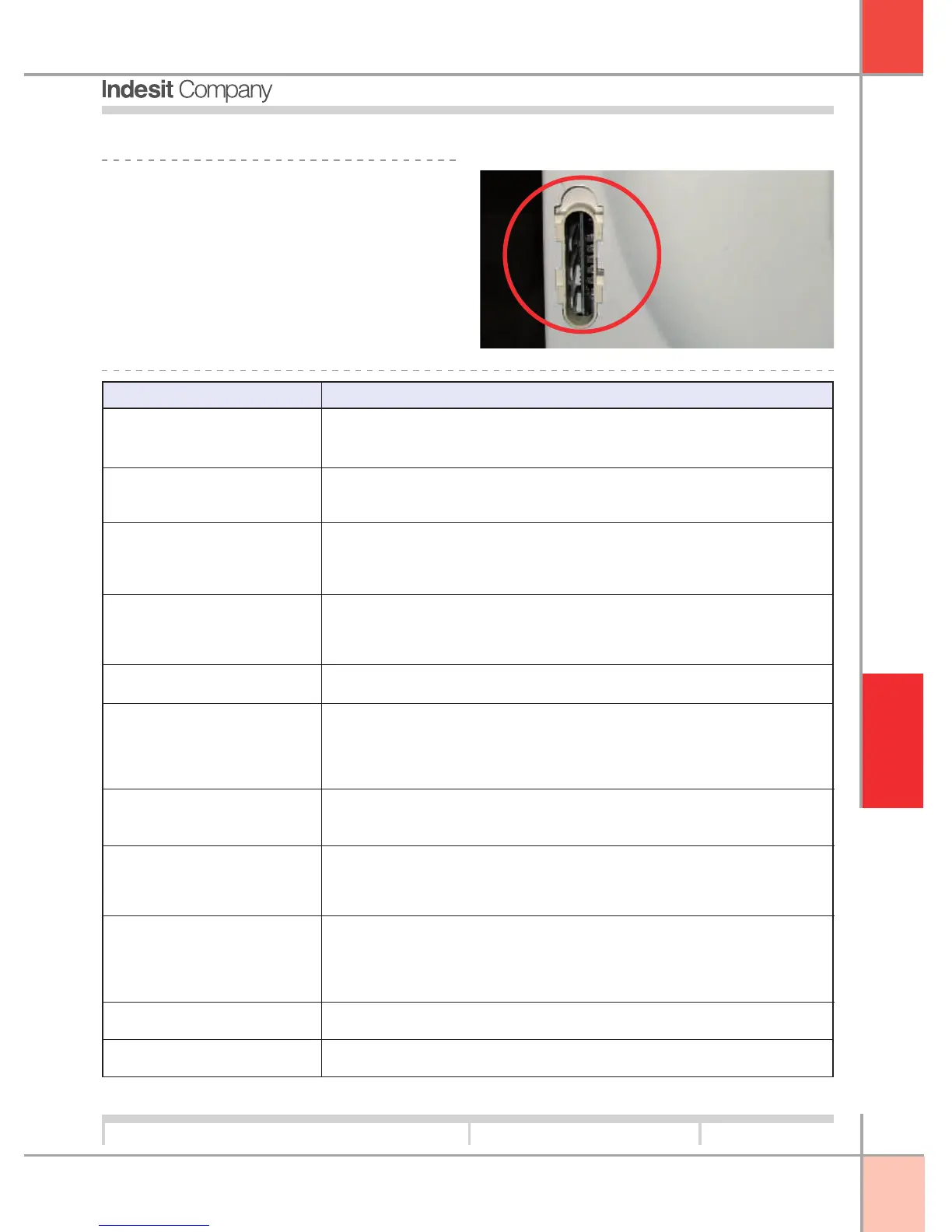
5.4. DOCTOR:
The appliance has a main PCB, located at the rear
right hand side and protected by a plastic cover.
Always replace the cover after removing it to connect
the Hardware key.
The Hardware key is used for fault diagnosis or to
update PCB software if necessary.
To use the diagnostic function, consult the relevant
manual.
PROBLEM ANALYSIS
- Check electrical socket outlet.
- Door microdelay switch
- Display PCB
- Water fi lling tap closed or low water mains pressure
- Solenoid valve clogged
- Solenoid valve not receiving power
- Solenoid valve damaged
- Drain hose too low
- Check pressure switch
- Air trap or pressure switch tube
- Check pressure switch
- Check motor winding
- Motor terminal board and PCB
- No power reaching motor
- Check drive belt
- Check motor
- Function inhibited
- Check drain pump and fi lter
- Check voltage on drain pump
- Check if programme envisages drain block
- Check building drain wall connection to ensure it is free.
- Unsuitable wash temperature
- Insuffi cient detergent
- Unsuitable programme
- Too much detergent
- Defective drain
N.B. a small amount of foam caused by the presence of zeolite water
softeners in the detergent is perfectly normal
- Unbalanced load
- Check bearing
- Worn drive belt
- Loose beater bars
- Loose counterweight
- Check discharge to earth
- Interference fi lter
- Load severely unbalanced
- Bad contact on terminal board
Fails to switch on
Fills continuously
Fails to fi ll with water
Motor does not run
Drum does not turn
5.5. TROUBLESHOOTING:
Does not drain
Noisy spin cycle
Appliance does not
wash effi ciently
Foam remains at end of
washing cycle
Current dispersal
Motor performs wash
movements but not spin cycle



 To Next Page