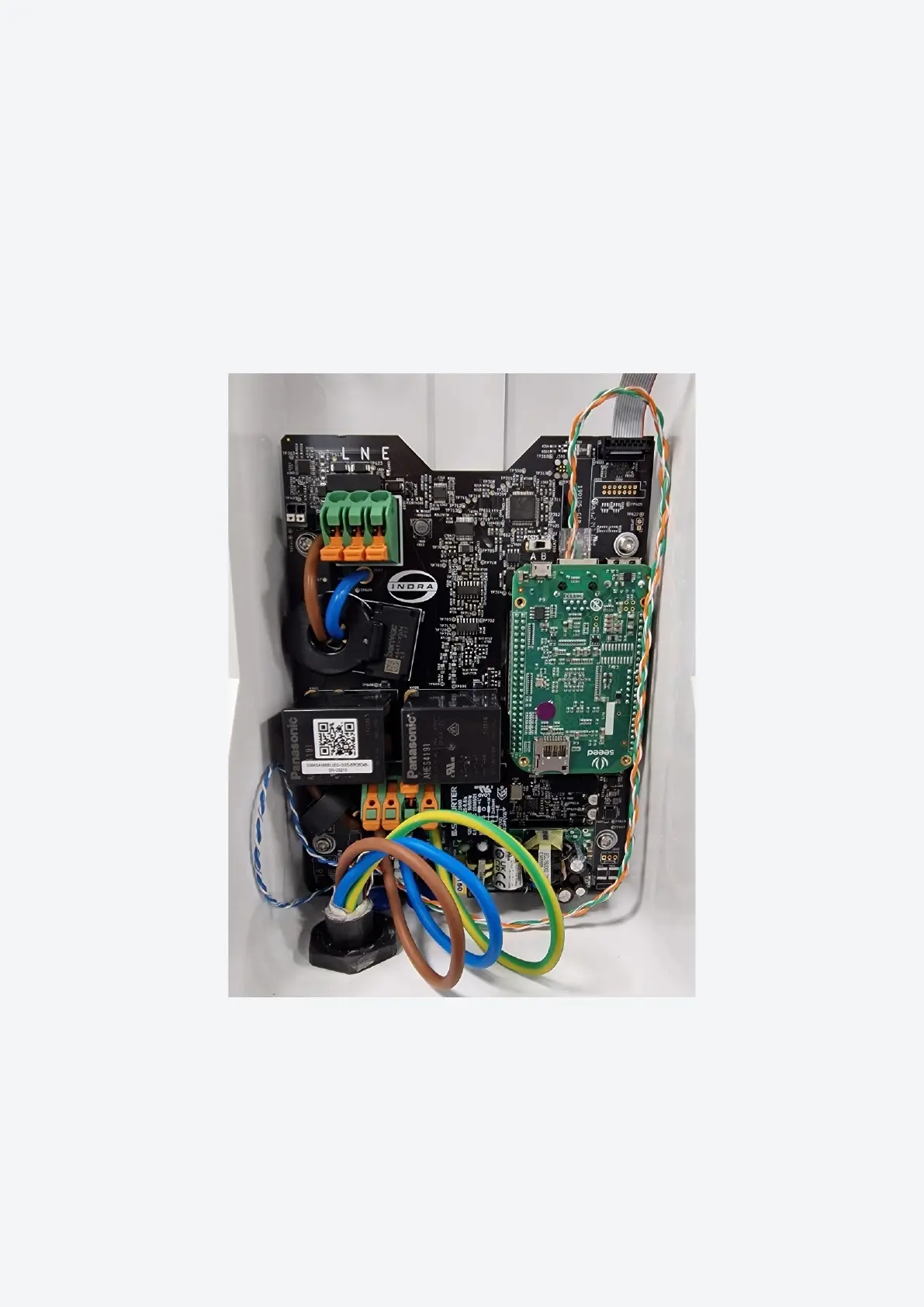
Connect Mains Cables - Smart PRO
Note:CutthemainswireswithreferencetotheWireCutLengthtable.
• Removetheouterinsulationofthecable,leaving10mmshowingatthegland.
• RoutethewiresasperFigure7.
• Insert wires into the lever type connectors labelled L (Live), N (Neutral) and CPC
(CircuitProtectiveConductor).
Figure 7: Smart PRO Mains Cable Routing
22 Indra Smart Range Installation Guide


 To Next Page