Primary LED lit, white
AsolidwhiteLEDindicatesthatthechargerissetupandreadytogo.
Primary LED lit, blue
The charger is in boost mode (This is activated by pressing the boost button either
intheapporonthefrontofthecharger).
Primary LED lit, yellow
Thechargerisinsolarmode(Thisisactivatedontheapp).
Primary LED ashing, white
The unit has successfully connected to the internet and needs to be commissioned
or the unit has successfully connected to the internet, is commissioned and is
carrying out cache telemetry (The time this process takes depends on internet
speedandthetimethechargerhasbeenoine).
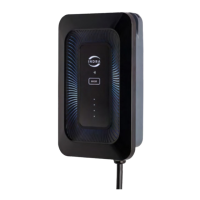
What do the LEDs on my charger mean?
TherearetwoseparateLEDindicatorsonthecharger.ThePrimaryLEDindicatesthecharger
status,whilethefourpanelLEDshighlightthecharger’scurrentmode.Eachofthesewill
illuminateadierentcolourandwillemitasequenceofashesthatindicatesthecharger’s
currentstate.
LEDs relating to the primary LED light:
ALL LEDs are o
Thechargerisnotreceivingpower;itmaybedisconnectedfromthemains.
There is no power to the front panel (The ribbon cable or its connections maybe
damagedordisconnected).
Primary LED ashing, blue
Thechargerisprocessingasoftwareupdate.
37


 To Next Page