1. INSTALLATION AND USE
KPM210/216
61-
216mm
210mm
216mm210mm
2
1
1
2
2
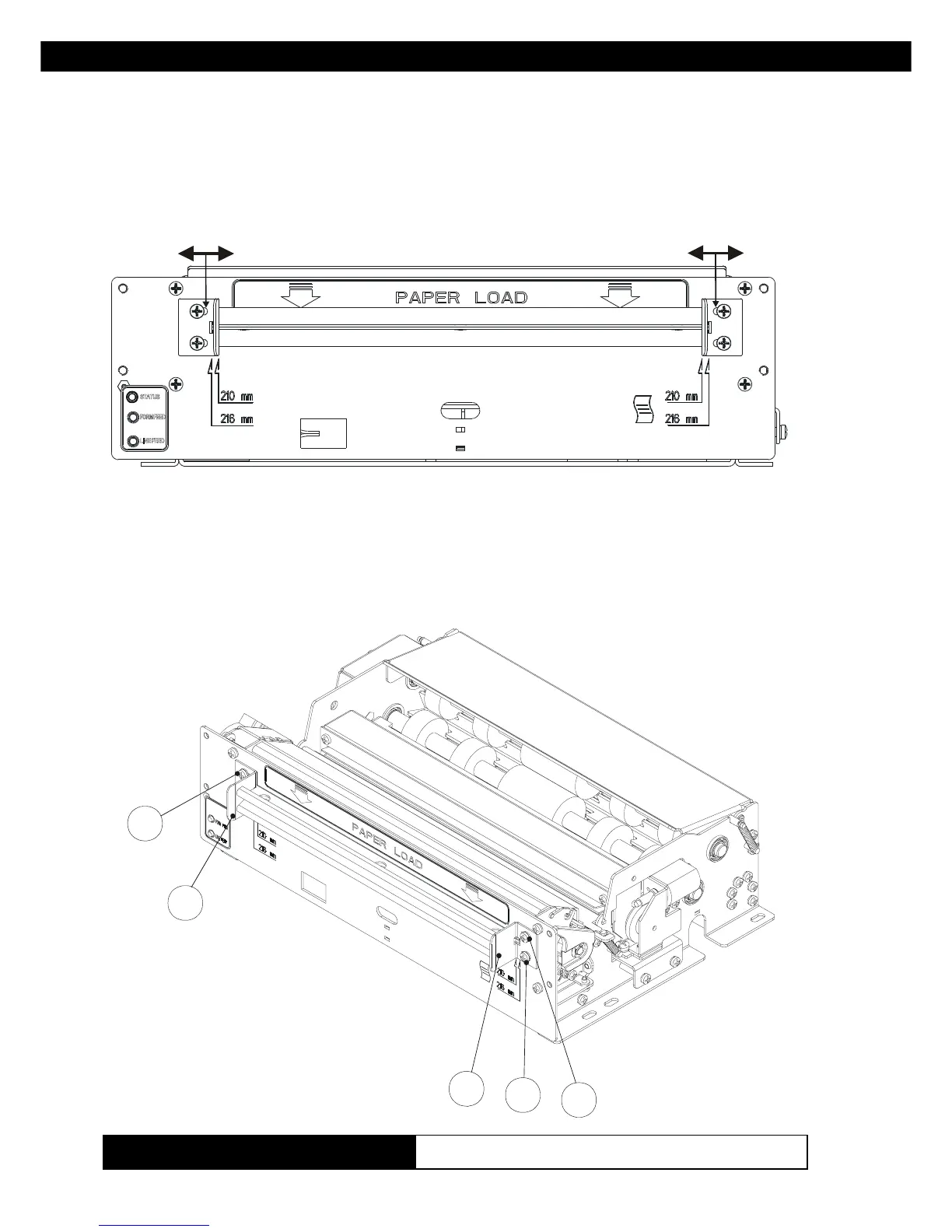
1.4.3 Adjusting paper width
Figure 1.6 illustrates the two positions of the side guides used to adjust
paper width to 210mm and 216mm.
To adjust paper width to 210mm or 216mm, proceed as follows:
- from the paper load opening (see fig. 1.7) loosen the fastening screws (2)
of the side guides (1) and, sliding them along the slot, position them
according to the paper width desired (use the notches on the front as a
guide, as shown in fig. 1.6).
(Fig.1.7)
(Fig.1.6)
(Tab.A.3)
www.ipcprint.com



 To Next Page