1. INSTALLATION AND USE
KPM210/216
91-
2
3
*
3
2
1
1.4.5 Cleaning the printing head
WARNING
• Do not touch the head heating line with bare hands or metal objects.
• Do not perform any operation inside the printer immediately after printing
because the head and motor tend to become very hot.
• The printer must be turned off when the printing head unit is removed.
WARNING
(*) During cleaning operations the printing head lever must remain in its
standby position.
Turn off the printer and proceed as follows:
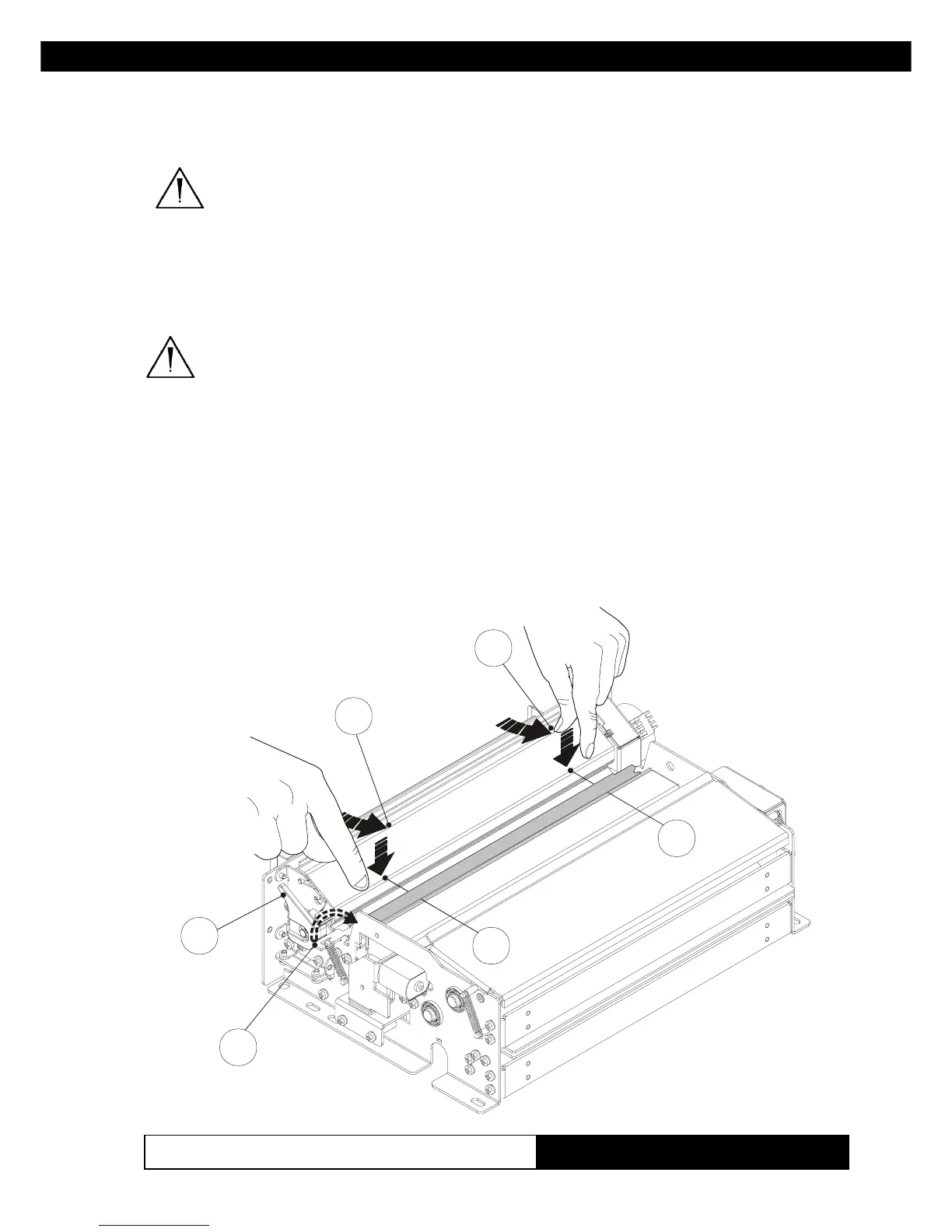
1) Lift the paper guide (1) as shown in fig. 1.9.
2) Pressing down on the two sides of the head (2) with your index fingers,
use your thumbs to push forward as shown in fig. 1.9.
3) Clean the printing head heating line (1) using a non-abrasive cloth
(Fig.1.9)
www.ipcprint.com



 To Next Page