34
12.Electronic display
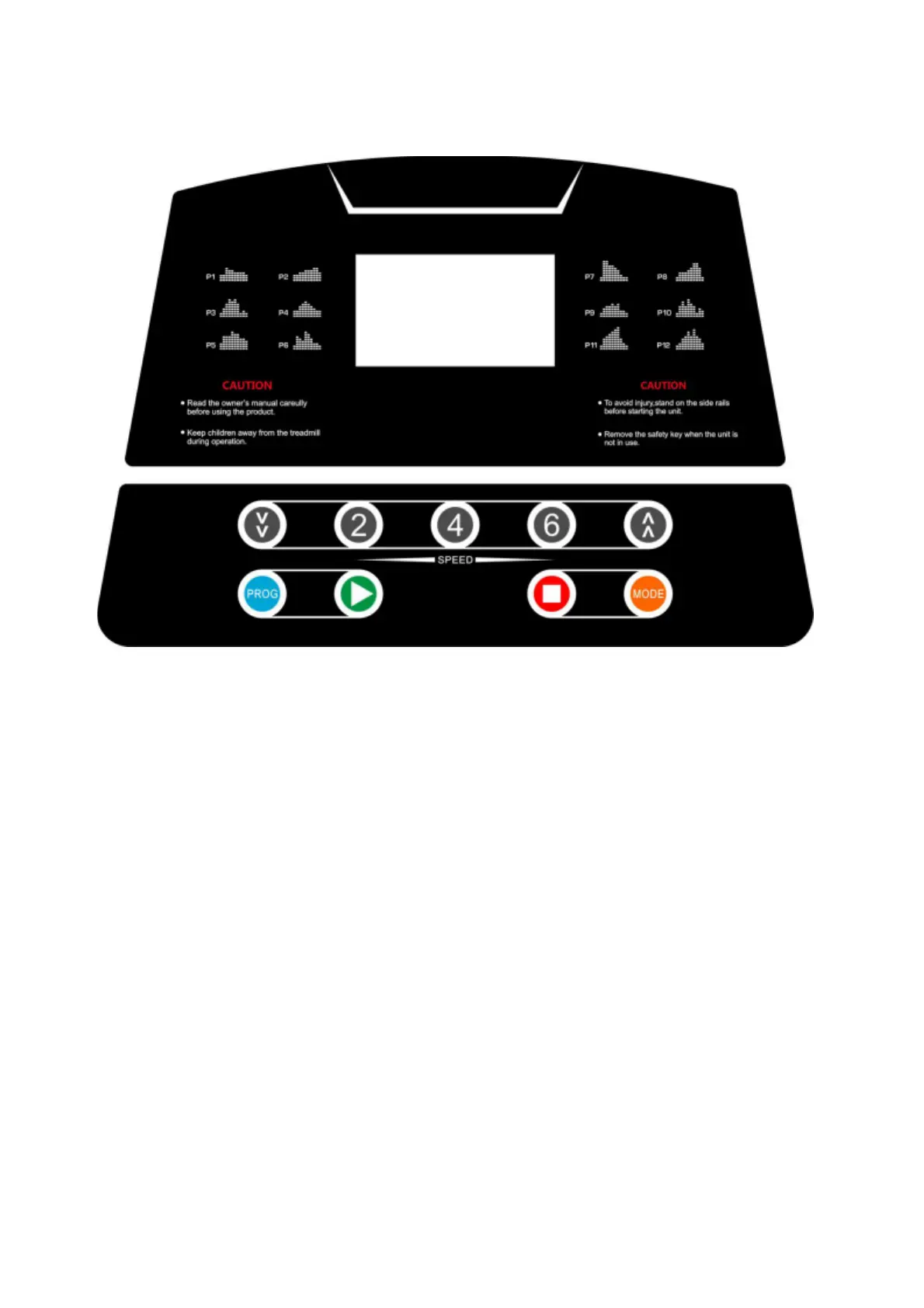
Window and button description
1. Digital tube window shows the following functions:
- **Speed window:**Displays speed range of 1.0-12.0 km/h. Actual speed range: 1.0-10 km/h.
- **Time window:** Shows the time from 0:00 to 99:59.
- **Distance window:** Shows distance data from 0.0 to 99.9 km.
- **Calorievenster:**Displays calories consumed from 0 to 999.
- **Heart rate window:**Shows heart rate data from 50-200 (for reference only, not as medical data).
- **Pedometer window:** Shows step number.
- **LED window:** For visual notifications.
2. Common function keys:
- Start, stop, mode, program, acceleration and deceleration of speed, shortcut keys for 2, 4, 6, 8 km/h.
3. Function button description:
- **Mode test:** Switch between different countdown modes (time, distance, calories) in stop status.
Use speed plus and minus buttons to set countdown values.
- **Program key:** Switch between fixed programs P01-P12 and body fat test mode.
- **Start button:**Start the engine in stop status.
- **Stoptoets:** Stops the motor while running.
- **Speed increase/decrease:** Adjust speed while walking.
- **Speed hotkeys:** Instant speed adjustment to 2, 4, 6, 8, 10 km/h.
Fixtures/start-up instructions:
1. Mode description:
- Manual mode, countdown mode for time, distance, calories.
2. Program description:
- **12 fixed programs (P01-P12):** Preset running schedules.


 To Next Page