TROUBLESHOOTING
Use the following guide to identify symptoms and solve
problems. Make sure the vehicle’s electrical system is
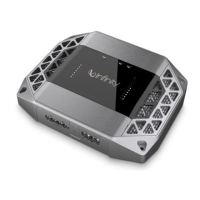
working properly and power is reaching the Kappa 102a
(i.e., green LEDs on the top panel are on).
SYMPTOM LIKELY CAUSE SOLUTION
No audio Low/No Remote Check connections;
Turn-On Voltage test turn-on voltage
Speakers are not Check wiring; use
connected or are VOM/DVM to
blown measure speaker
coil impedance
Distorted audio Input sensitivity See
Setting Input
and/or bass control Sensitivity and
is not set properly
Setting DBO
on previous page
Audio lacks Speakers are wired Check polarity of
“punch” with wrong polarity connections; refer to
Applications (page 3 )
SYMPTOM LIKELY CAUSE SOLUTION
Audio cycles A protection circuit Verify the following–
off and on; is turning the electrical system is
Amber protec- amplifier off and on between
10 ~ 15.5
Vdc;
tion LEDs (on temperature is not
top panel) are on over 194°F (90°C);
no short circuits;
speaker loads are not
less than 1 ohm
(2 ohms in mono)
Audio cycles GAIN is set too high Set Input Sensitivity
off and on; correctly (see previous
Amber protection page)
LEDs (on top
panel) are on
Fuse blows Incorrect wiring or Check connections;
short circuit refer to
Applications
(see page 3)




 To Next Page