Kappa Series Powered Subwoofer – Owner’s Manual
◆
15
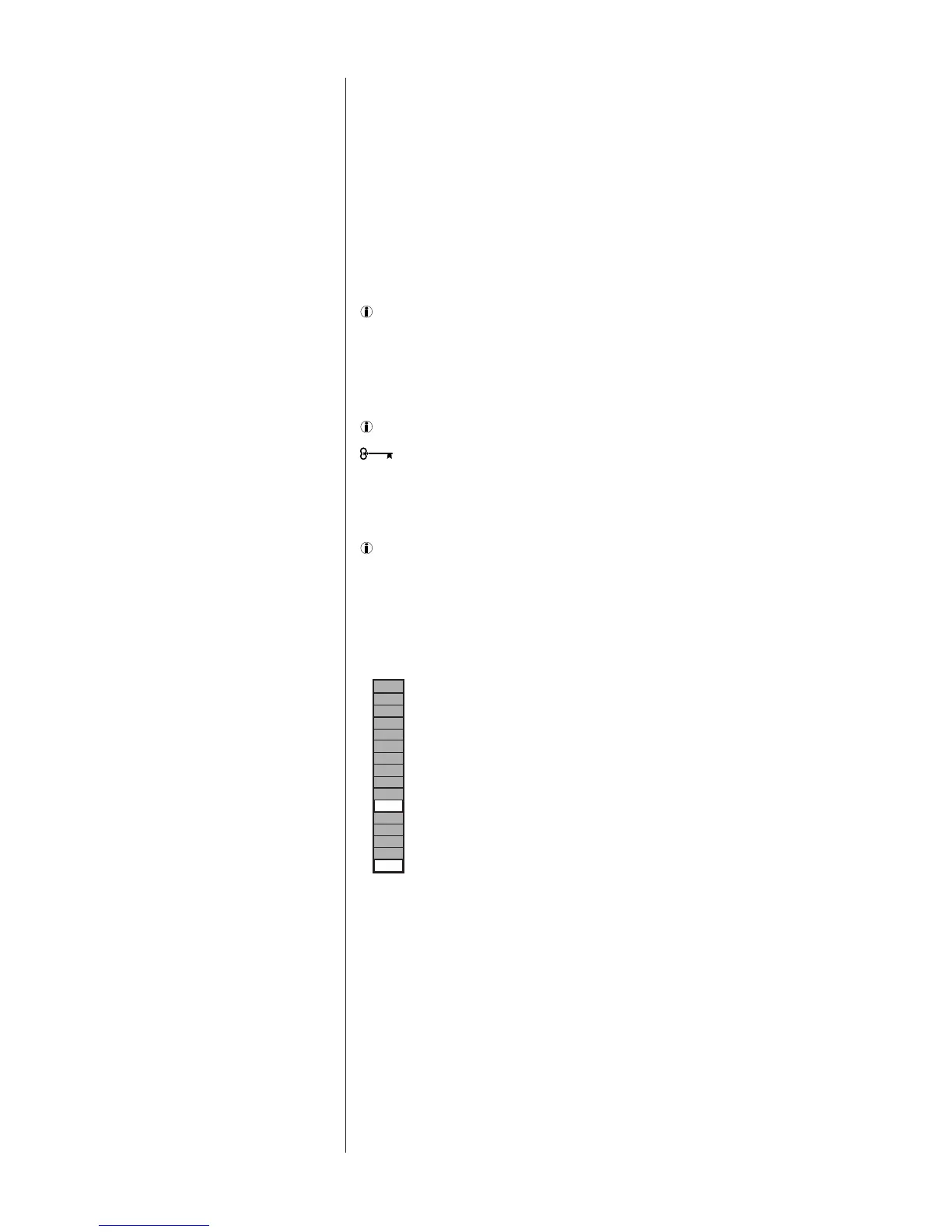
• Power-On/Low Signal: This is indicated by the illumination of any LED on the bar
graph. If the sound level in the room is below the measurement range of the
instrument, a green LED near the bottom of the bar graph will be illuminated.
• Normal Measurements: When the sound level is within the range of the RSLM, the
green LED will be off and one of the red LEDs in the bar graph will be illuminated,
indicating the relative sound level, in decibels (dB).
• Over-Range: If the sound level exceeds the range of the meter, 0 dB through -5 will
all light simultaneously.
• Low Battery: When the battery voltage is too low for accurate measurements, an LED
at the bottom of the bar graph will be illuminated. Replace the battery.
Do not attempt measurements when this light is on.
Determine where in the room you are most likely to sit when listening to music or
watching a movie. This is where you will want to hold the RSLM during measurements.
The RSLM should be oriented so it can be easily read and held at your seated ear level
during tests.
You must use this same position for all tests.
The RSLM can be mounted on a standard camera tripod. This will ensure the
best results.
The following steps will set the playback level of the system to the correct level for all
tests that follow.
Turn the system volume to minimum.
Cue the R.A.B.O.S. Test CD to Track 2 and press Pause II. This track will produce
band-limited pink noise in both the left and right channels.
Press Play
›
With the RSLM positioned as described above, increase the system
volume until the RSLM display indicates -10 dB. See Figure 6.
RSLM Placement
Figure 6
RSLM indicating the correct system
level to begin tests (-10 dB)
When you have completed this
adjustment, press Pause II.
Initial System-Level
Setting




 To Next Page