28
◆
Kappa Series Powered Subwoofer – Owner’s Manual
If your test data looks similar to the example in Figure 22, you have a very favorable
setup. Skip to the “Final System Balance” section, page 29.
Now that you have performed the measurements and interpreted the data, you have
the information needed to adjust the subwoofer equalizers.
First, make sure that the R.A.B.O.S. selector is in the On position. There are three
equalizer adjustments on the Kappa Subwoofer. Top to bottom, they are marked
“Freq” (frequency), “Level” (level) and “Width” (width). Each control has 21 positions.
These are numbered from left to right. Therefore, Position 1 is the full counterclockwise
position. The following table illustrates all switch positions.
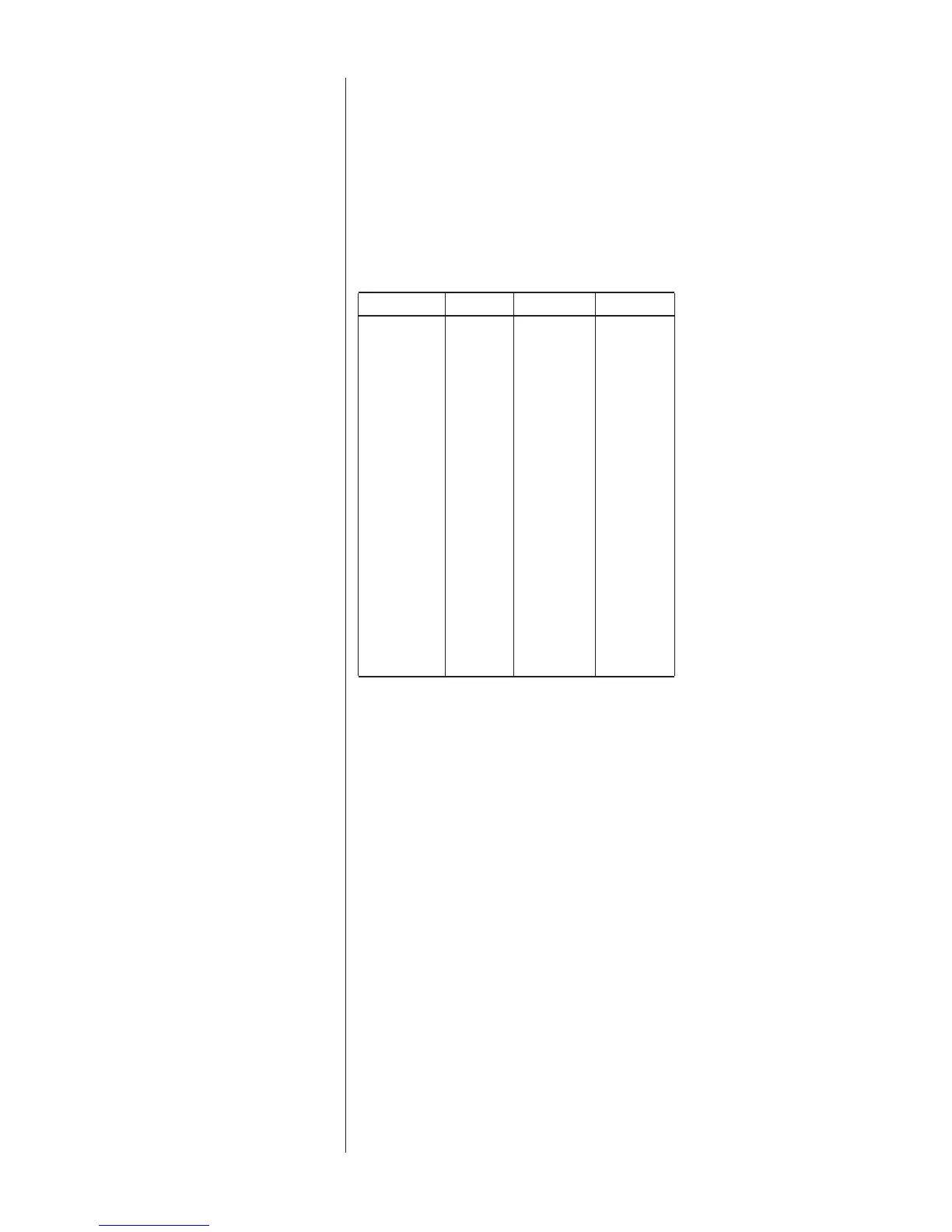
Position Freq. (Hz) Level (dB) Width %
1 CCW 20 -14.1 4.5%
2 20 -13.9 5%
3 20 -13.5 7.5%
4 21 -13.1 10%
5 22 -12.7 12.5%
6 24 -11.7 16.5%
7 26 -11.0 20.5%
8 30 -10.2 23%
9 35 -9.5 26%
10 38 -8.9 28%
11 40 -8.3 29.5%
12 43 -7.9 31%
13 46 -6.4 34%
14 52 -4.4 39%
15 56 -2.9 41.5%
16 63 -1.9 43.5%
17 66 -1.1 45%
18 72 -0.5 46.5%
19 77 0.0 48%
20 80 0.0 49%
21 CW 80 0.0 49.5%
Adjusting the
R.A.B.O.S. Equalizer




 To Next Page