6
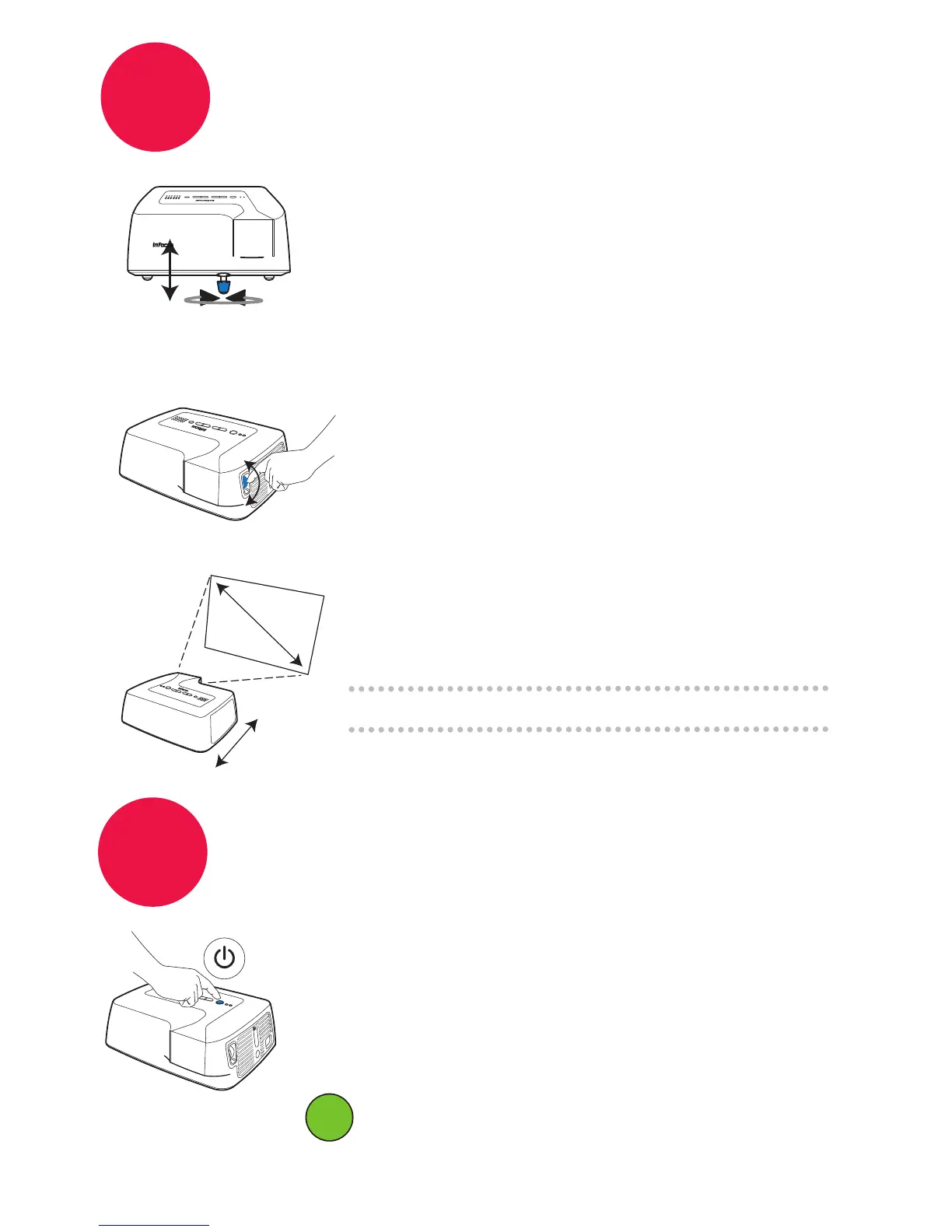
Adjust the picture
To get a picture this size
(diagonally)...
the projector must
be this far away:
7'7" / 2.3m
10'1" / 3.1m
11'7" / 3.5m
60" / 1.5m
80" / 2m
92" / 2.3m
Height
1
Focus
2
Size
3
Turn the elevator
foot under the
front of the
projector or
expansion module.
7
Hold down the power button until the
projector lamp turns off
Turn off the projector
The wait light will blink while fan cools the lamp.
Note: The projector won’t respond to commands
while the wait light is blinking.
Turn the focus
dial on the side
of the projector.
Don’t unplug the projector until
the wait light stops blinking.
ii


 To Next Page