28
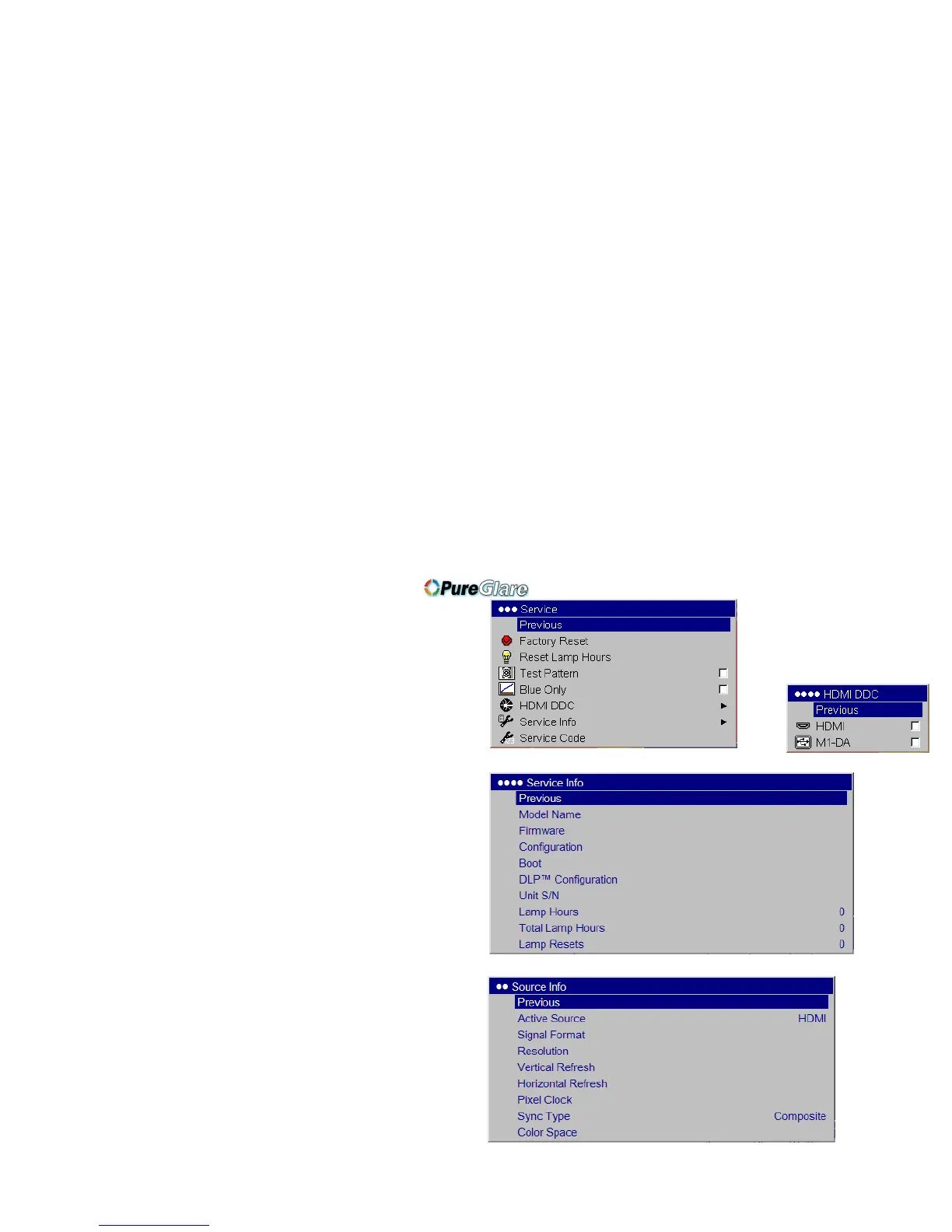
Service: To use these features, highlight them and press Select.
Factory Reset: re
stores all settings to their default.
Reset Lamp hours: r
esets the lamp hours used counter in the Service
Info menu to zero. Do this only after changing the lamp.
Test Pattern: disp
lays a test pattern. To display test patterns, first you
must assign Blank Screen to the Custom key (page 27), then click the
Test pattern check box in the Service menu to t
urn the option on, exit
the menus, then press the Custom button on the remote. To select the
patterns, use the up/down arrows on the remote or keypad. To exit the
test patterns, press the Custom button.
Blue Only: turns
of
f the Red and Green portions of the input, allowing
you to properly adjust the color balance with a SMPTE color bar pat-
tern.
HDMI DDC: turns
the EDID ext
ension on and off. Some graphic cards
cannot recognize the projector’s EDID. By default, the HDMI EDID
extension is on (checkbox is checked) and the M1-DA EDID extension
is off (checkbox unchecked). Change these settings if you have trouble
using HDMI or DVI sources.
Service Info:
provides information about the projector’s software,
serial number, and lamp.
Service Code: only used by a
uthorized service personnel.
Source Info: pr
ovides information about the active source.
Service menu
HDMI menu
Service Info
Source Info menu



 To Next Page