Page 18 Mondopad™ Features
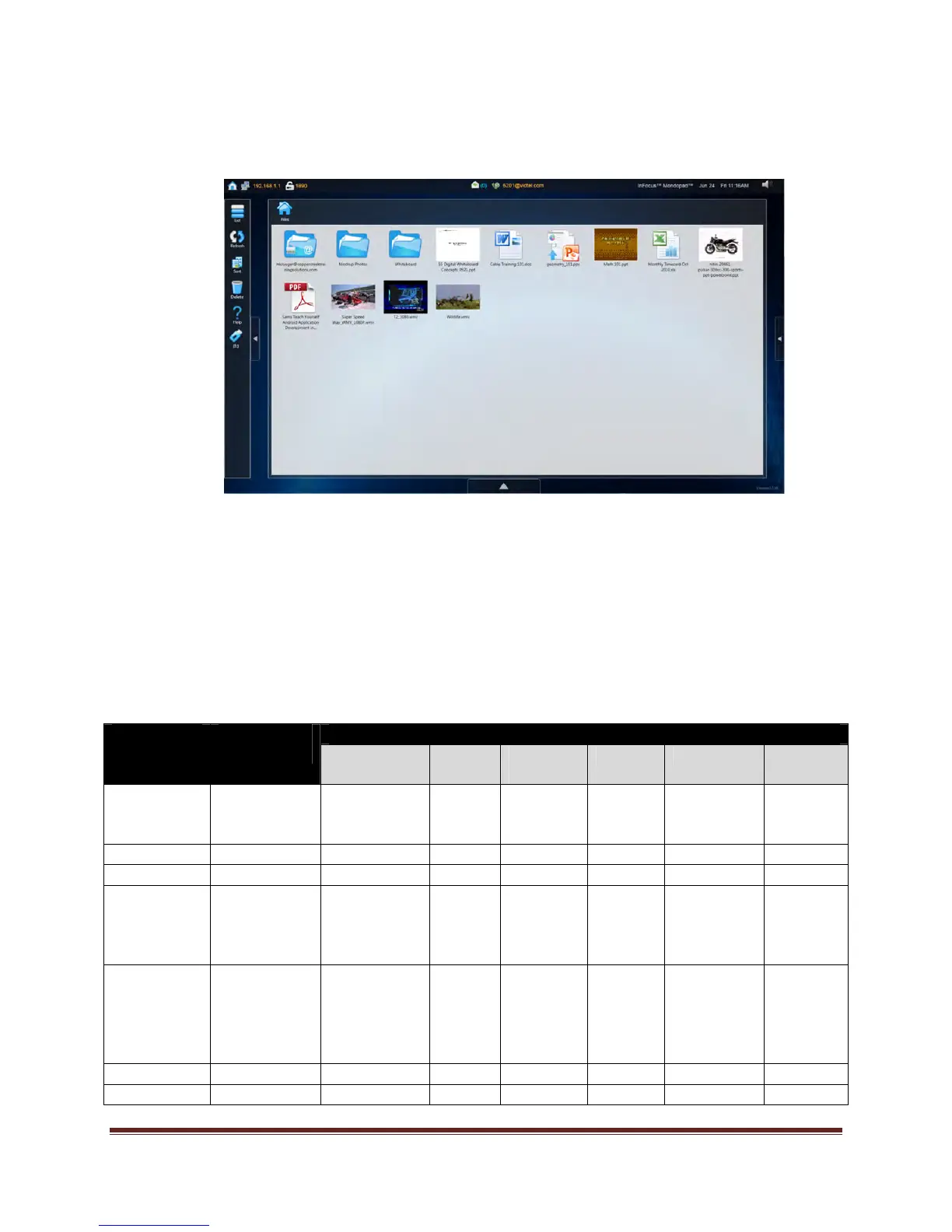
View & Share
Provides you with a list of files (documents, images and video files) which are available for
presentation on the Mondopad™ collaboration tablet. Supported formats include Windows
®
,
Word
®
, Excel
®
, and PowerPoint
®
files, Adobe
®
PDF files, and standard video, image and text
files. Files can be accessed from a standard USB thumb drive, emailed or loaded directly to the
View & Share folder.
Note: Although View & Share documents are not directly editable (for example, Word and Excel
documents cannot be modified), zoom and annotation tools are available depending on the
document type.
Supported
File Type
File
Extensions
Controls Available
Annotation Zoom
+/-
Scroll
up/down
Rotate Prev/Next AV
controls
PowerPoint .ppt, .pptx,
.pps, .ppsx,
.ppsm
X X X
Excel .xls, .xlsx X X X
Word .doc, .docx X X X
Images .jpg, .jpeg,
.gif, .bmp,
.png, .jpe,
.ico
X X X
AV files .wmv, .mp4,
.mp3, .avi,
.3gp, .wma,
.wav, .mov,
.asf
X
Adobe PDF .pdf X X
Other files .txt, .rtf, .xml X X X


 To Next Page