Video Conferencing Page 37
Setting up Contacts and Groups
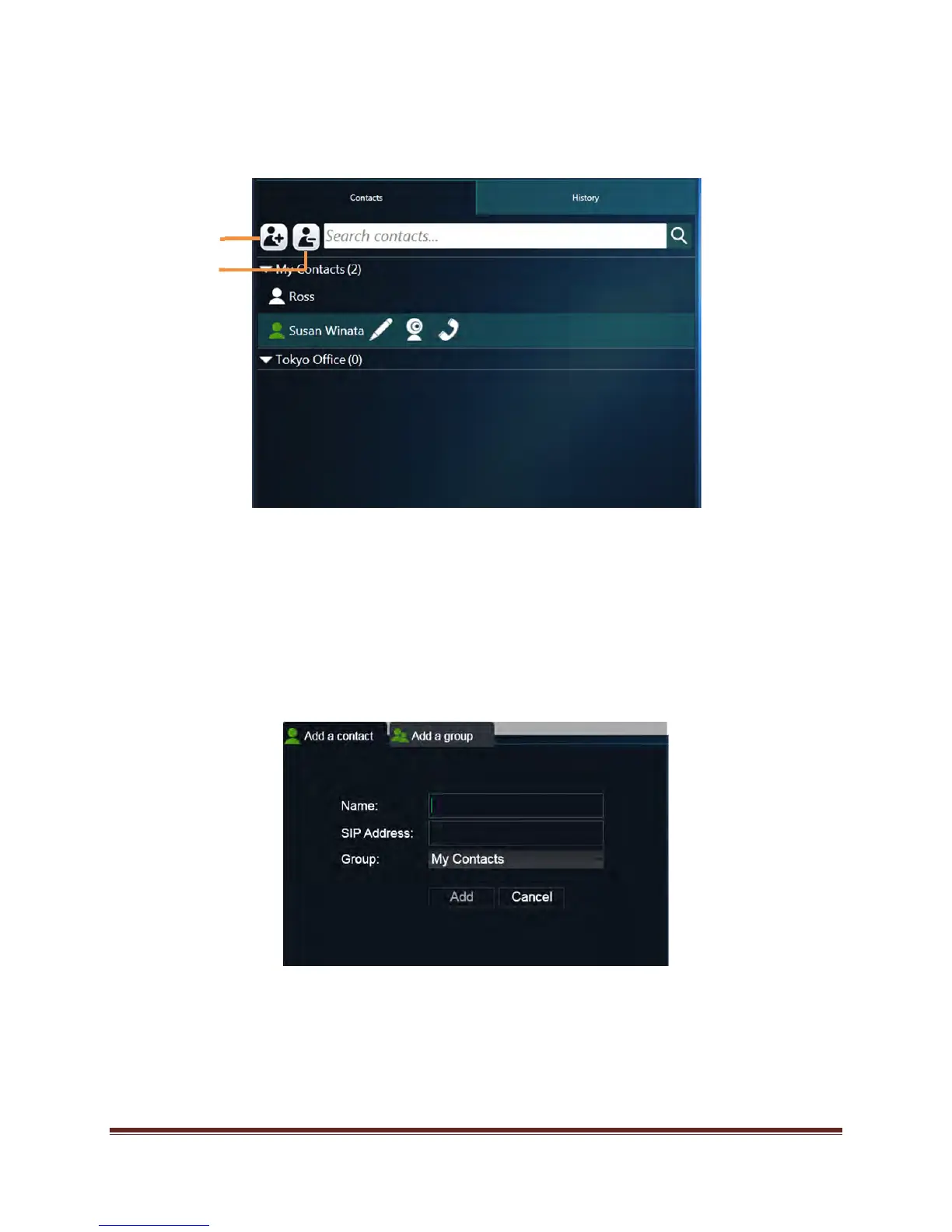
To setup a Contact/Group:
1. Click the Contacts tab.
2. Click the Add Contact icon.
3. To enter an individual contact:
a. Click on the Add a Contact tab
b. Enter the Contact Name, SIP Address and Group (My Contacts is default).
c. Click Add.
4. To enter a group:
a. Click the Add a group tab.
b. Enter the new group name.
c. Click Add.
Add Contact
Delete Contact


 To Next Page